How to turn on or off the Warning when Exiting LogiDebt
Open the Config window
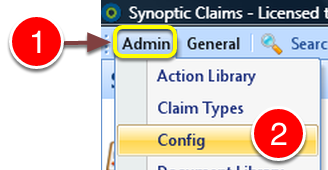
1: Click Admin from the Menu.
2: Click Config from the drop down list - the Config window will open.
Change the setting
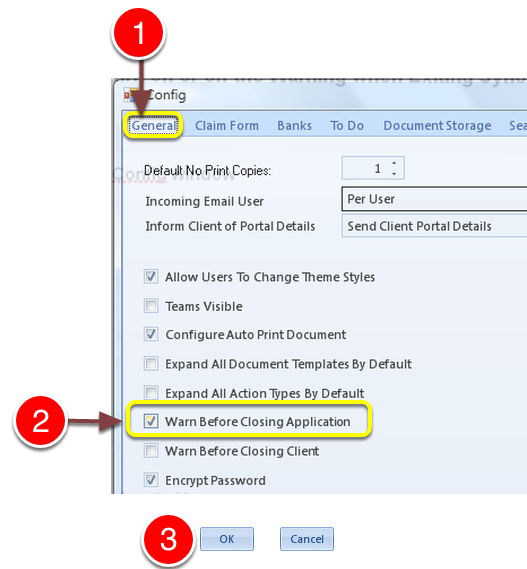
1: Click the General tab - the General window will open.
2: Click on the tick in the Warn Before Closing Application check box to turn on the Warning or tick it off to disable the Warning.
3: Click OK to save and close the window.