How to enable the User Teams filters
Open the Config Menu
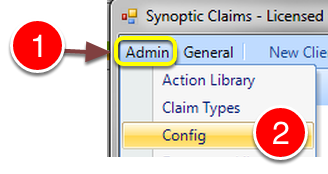
1: Click Menu.
2: Select Config from the drop down list - the Config window will open.
Change the setting
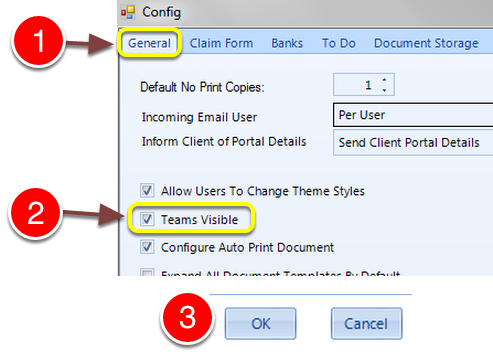
1: Click the General tab - the General window will open.
2: Tick the Teams Visible checkbox, or untick the checkbox to deactivate teams.
3: Click OK to Save the setting and close the window.
To Do and History List
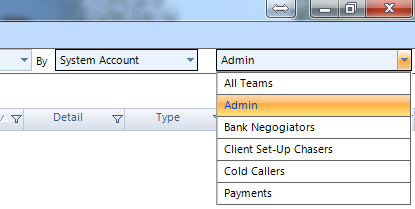
There is now a drop down list for teams in the To Do and History Lists.
Users
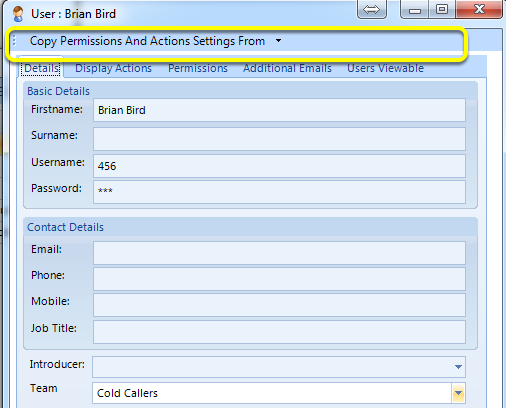
And a drop down list in the Users Details window.