How to enable user log-on times reporting
Info
NOTE: the report will have to be created by an advanced SQL user or by a Logican support member.
Open the Config menu
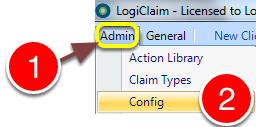
1: Click Admin from the menu.
2:Select Config from the drop-down menu - the Config window will open.
Change the setting
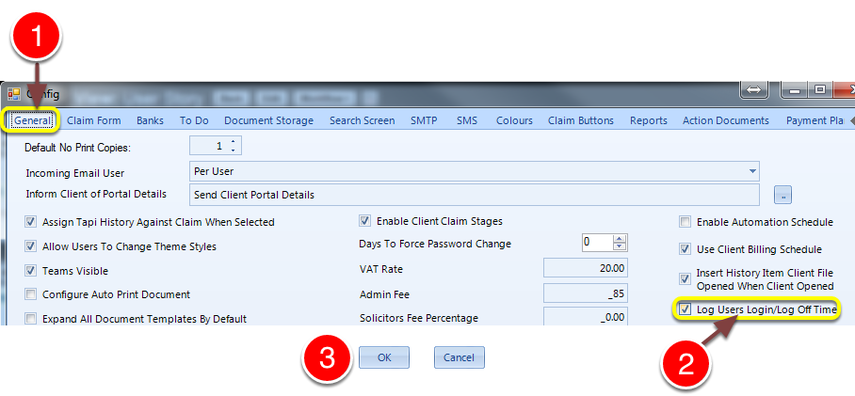
1: Click the General tab - the General window will open.
2: Tick the Log Users Login/Log Off time check-box
3: Click OK to save the settings and close window.