How to copy permissions and displayed actions between users
Open the Users window
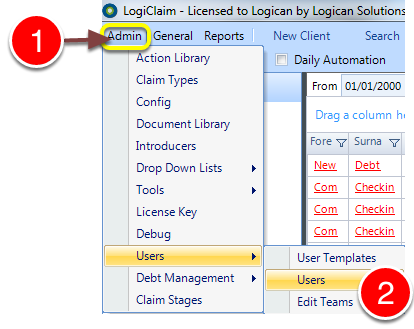
1: Click Admin from the Menu.
2: Select Users --> Users from the drop down menu - the Users window will open.
Select a User
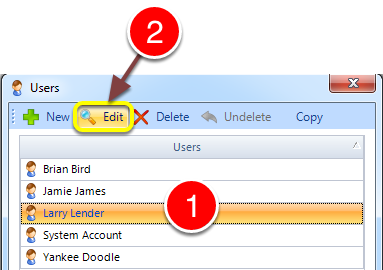
1: Select the required User.
2: Click Edit - the User's window will open.
Copy Users Permissions
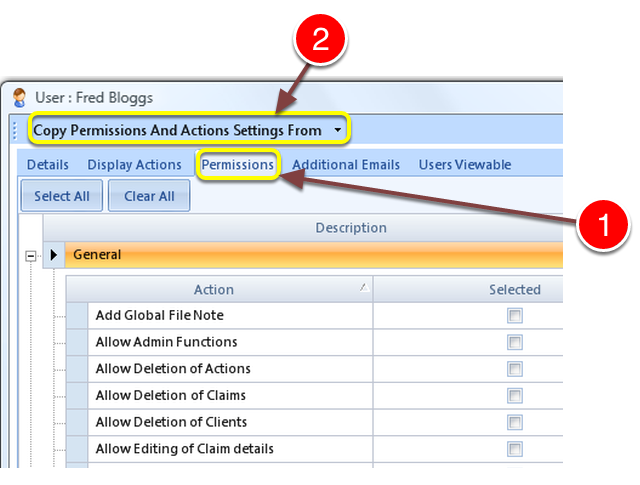
1: Select the Permissions tab - the User Permissions window will open.
2: Select from which User to copy the Permissions.
Copy the displayed Action Types
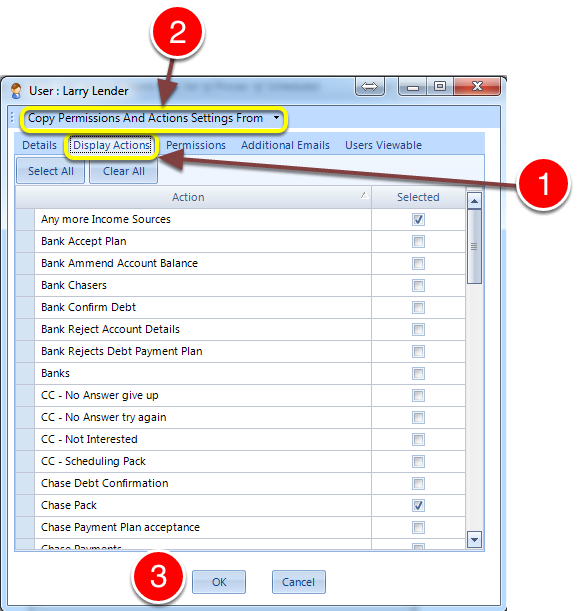
A Display Action sets what the User can or cannot see on the system.
1: Click Display Actions tab - the Display Actions window will open.
2: Select from the drop-down list, which User to copy the Displayed Actions from.
3: Click OK to save the change and close the window.