How to enable certain Actions to run from the ToDo list on a daily basis
Info
These actions are then run using the Daily Auotmation button on the main ToDo list
Open the Action Library
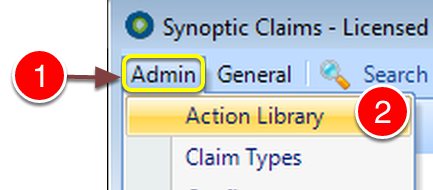
1: Click Admin on the Menu.
2: Select Action Library from the drop down list - the Action library window will open.
Select the Action
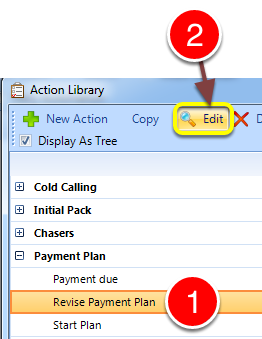
1: Click the Action to be edited.
2: Click Edit from the Menu - the Edit Action window will open.
Change the setting
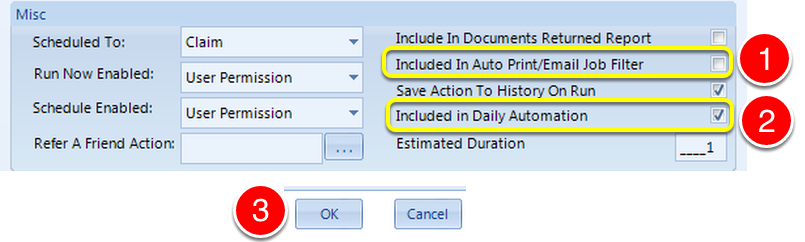
1:Tick the Include In Auto Print/Email job filter check-box.
2: Tick the Include in Daily Automation check box.
2: Click OK to save the details and close the window.
Run the due actions
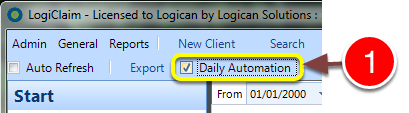
1: Tick the Daily Automation and the actions will start to run.