How to use the Ready to Deploy Flag
Info
The Ready to Deploy Flag is a check-box users can add to Templates or Actions in order to mark them as usable before they take the program from Test to Live
To use this feature a script will need to be written by a developer. Please ask for details.
Setting the Config to Activate the Ready to Deploy Flags
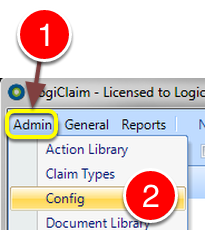
1: Select Admin from the Menu.
2: Select Config from the drop down list - the Config window will open.
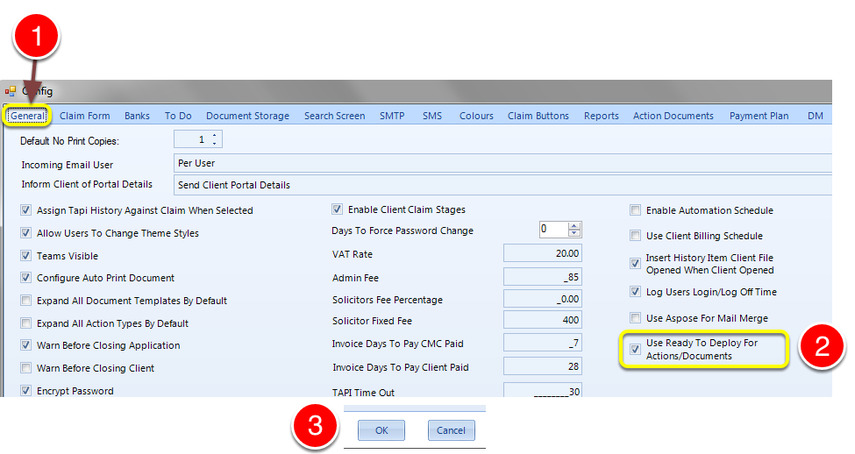
1: Select the General tab - the General window will open.
2: Tick "Use Ready To Deploy Actions/Documents"
3: Click OK to Save the data and close the window.
Ready to Deploy Flag for Actions
Open the Action Library
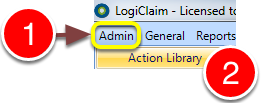
1: Click Admin in the Menu.
2: Select Action Library from the drop-down menu - the Action Library will open.
Open the required Action window
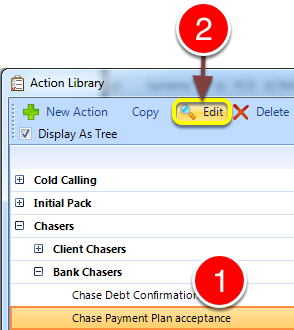
1: Select the required Action.
2: Click Edit - the Action's window will open.
Add a flag
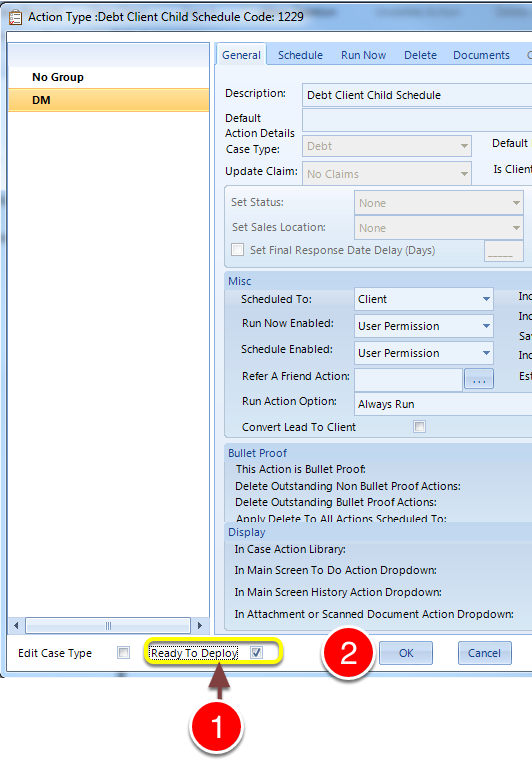
1: Tick the Ready to Deploy check-box.
2: Click OK to save and close the window.
Ready to Deploy Flag for Documents
Open the Document Library
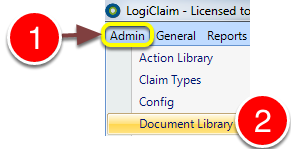
1: Click Admin in the menu.
2: Select Document Library from the drop-down menu - the Document Library will open.
Open the required Template window
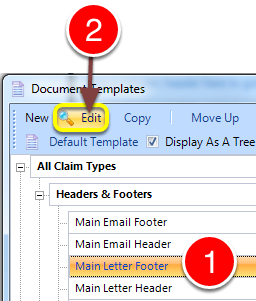
1: Select the required Template.
2: Click Edit - the Document's window will open.
Add a flag
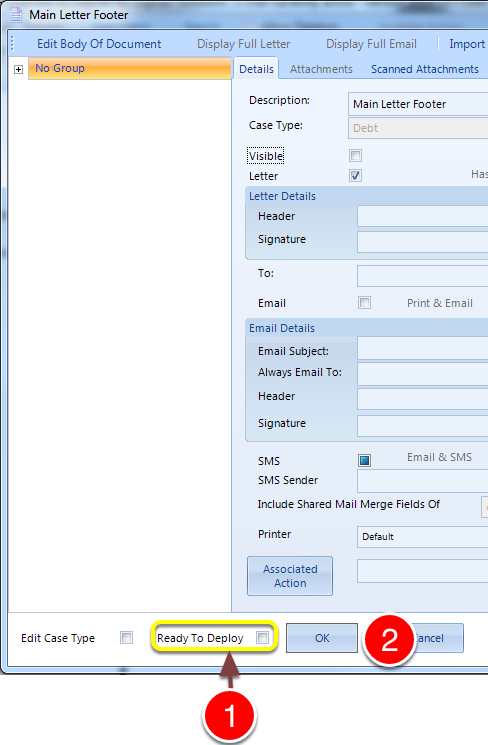
1: Tick the Ready To Deploy check-box.
2: Click Ok to save and close the window