How to create a file note
Create a file note from within a case
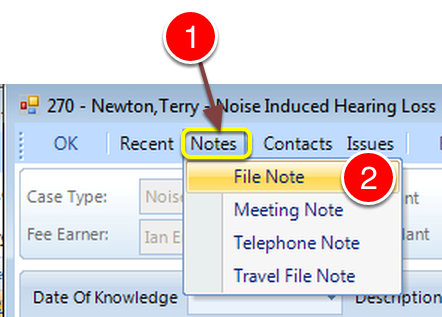
1: Click Notes from the Menu.
2: Click File Note from the drop down list - the File Note window will open.
Set the Timer
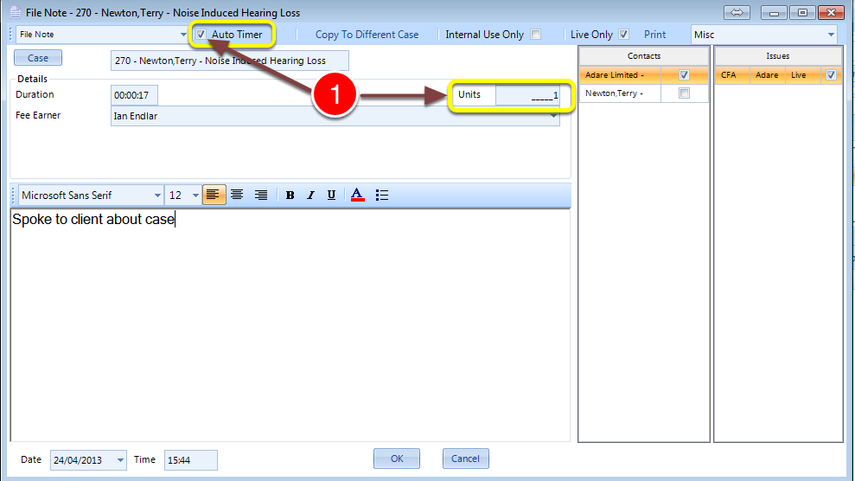
1: Click the Auto Timer or manually set the Units.
You can create a Telephone note from the main screen
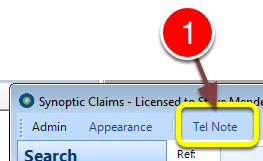
1: Click Telephone Note from the Menu - the Telephone Note window will open.
A blank telephone note is created that automatically starts timing the call
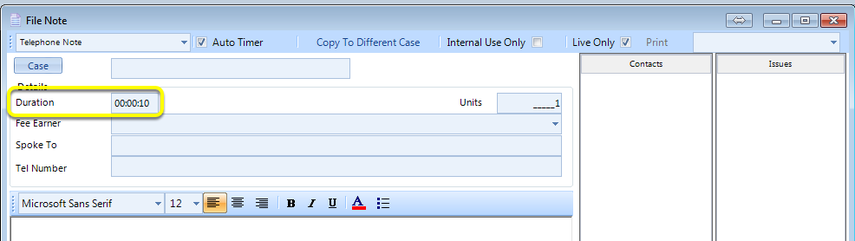
Link the Note to a case
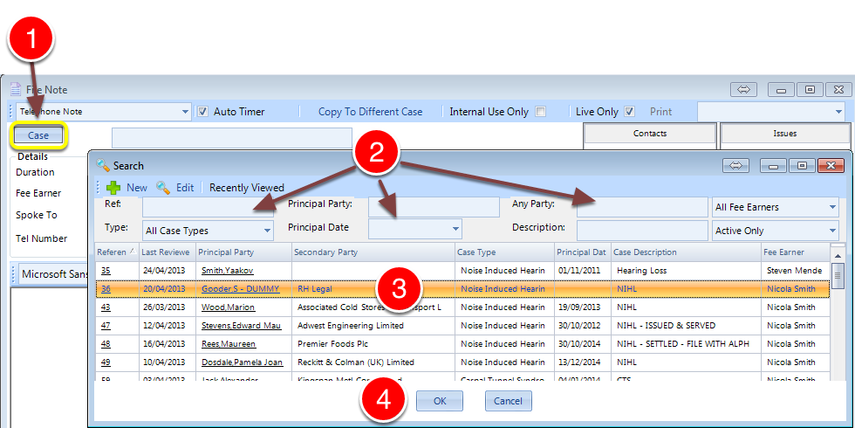
1: Click the Case Button - the Search window will open.
2: If required enter some search criteria.
3: Select the required Case.
4: Click OK to Save the data and Close the window.
You can then select the contact and issue the note relates to
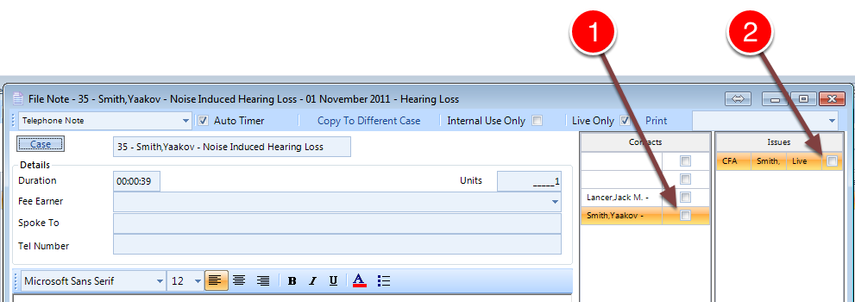
1: Select the Contact.
2: Select the Issue.