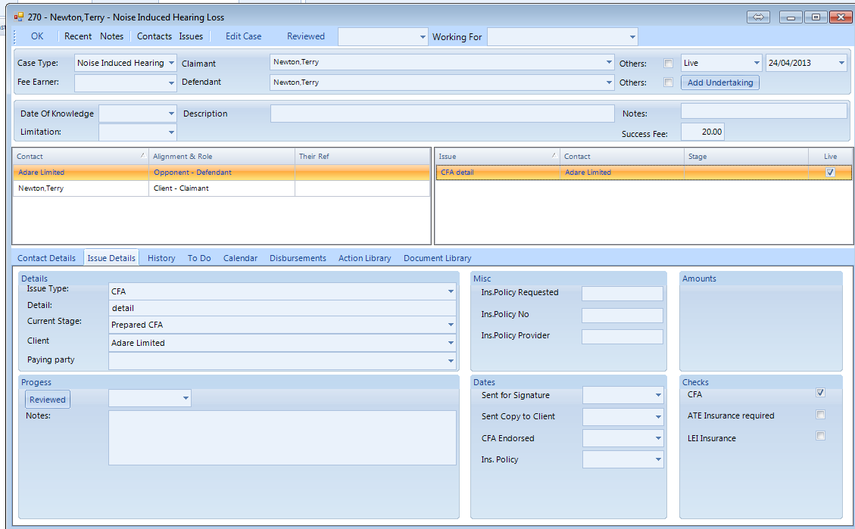
How to create a new case
Select the new case type from the menu in the main screen
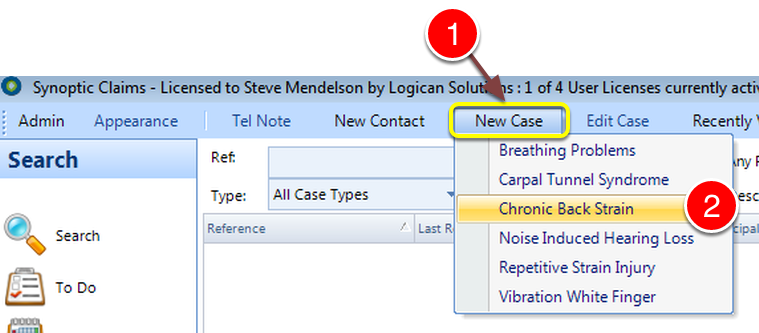
1: Click New Case from the Menu.
2: Select a Case Type from the drop down list - the New Case window will open. - NOTE: You can add Case Types from the Admin Menu, click here for instructions.
This displays a blank new case of the type that was selected
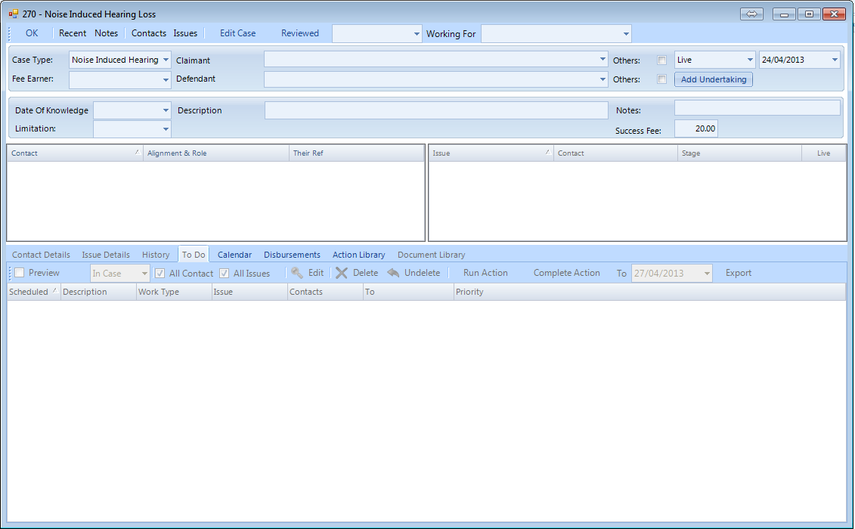
Add a claimant
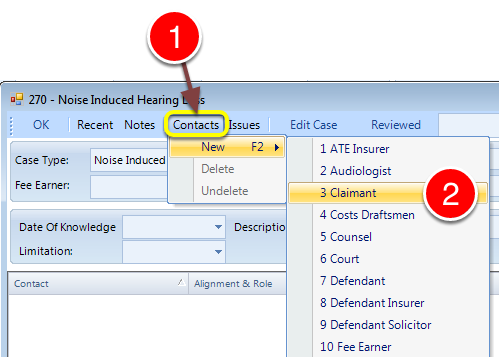
1: Click Contacts from the Menu.
2: Select New --> Claimant from the drop down list.
Enter the claimant details
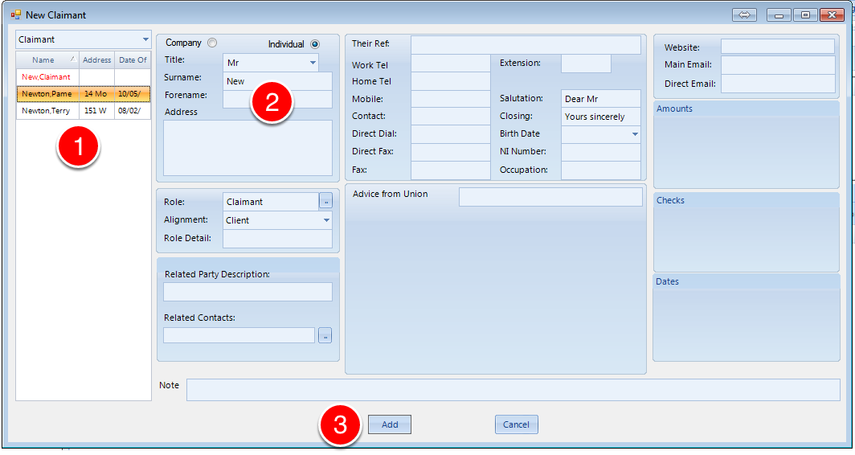
1: Double click on an item in the list to select it
2: Manually enter the details of a new claimant
3: Click on the Add button to add the claimant to the case
The claimant is added to the case in the contacts list
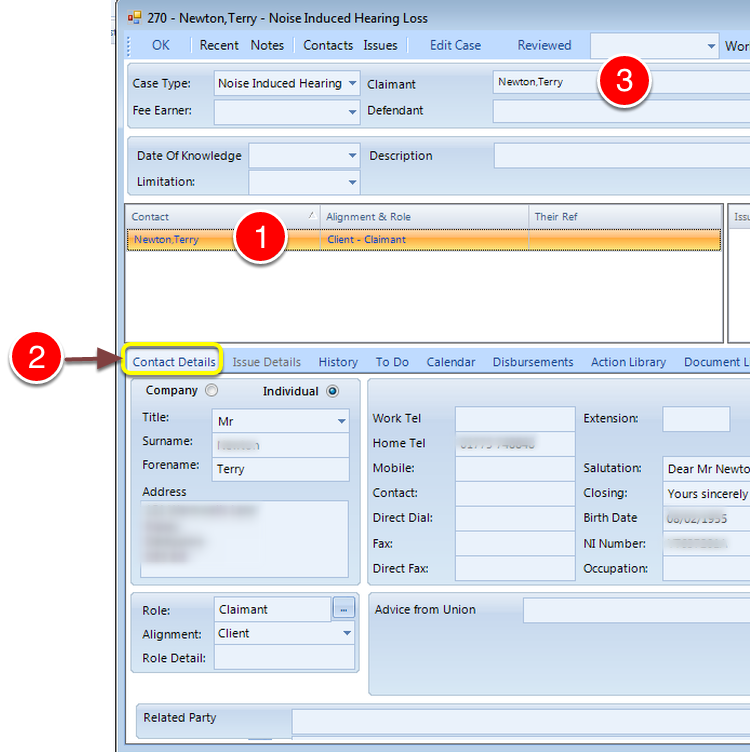
To view the contact details within a case
1: Select the contact in the contact list
2: Either double click on the contact in the list or click on the contact details tab
3: The new claimant is automatically set as the claimant of the case
Add a defendant
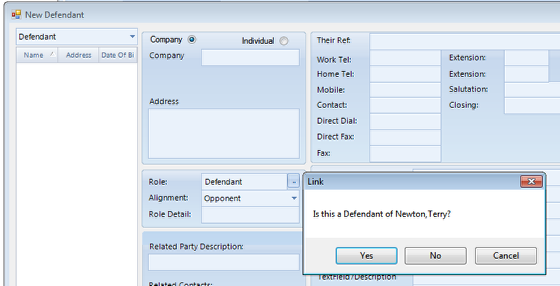
You will be asked whether this is the defendant of the claimant
Once the defendant details have been added set it as the defendant of the case
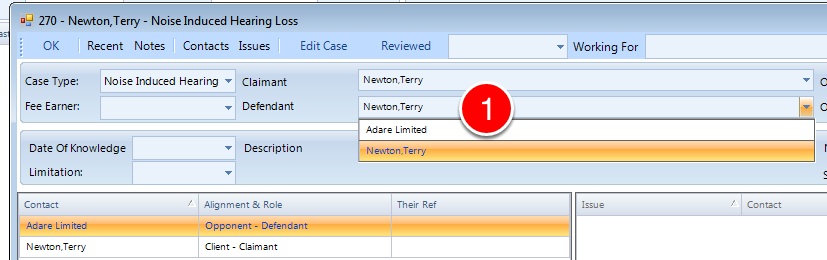
1: Select the Defendant from the drop down list.
Add a "CFA" issue
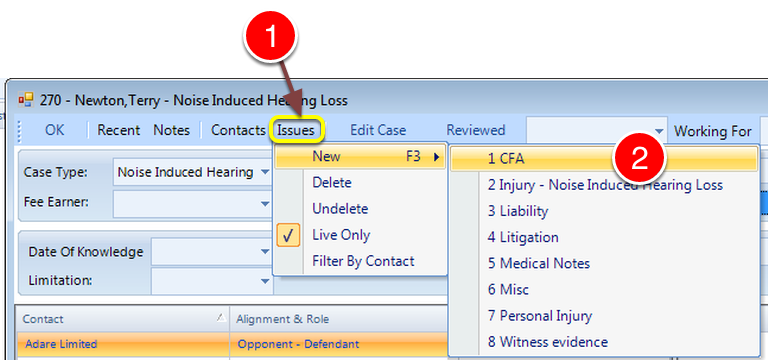
1: Select Issues from the Menu.
2: Select New --> CFA from the drop down list.
Fill in the details
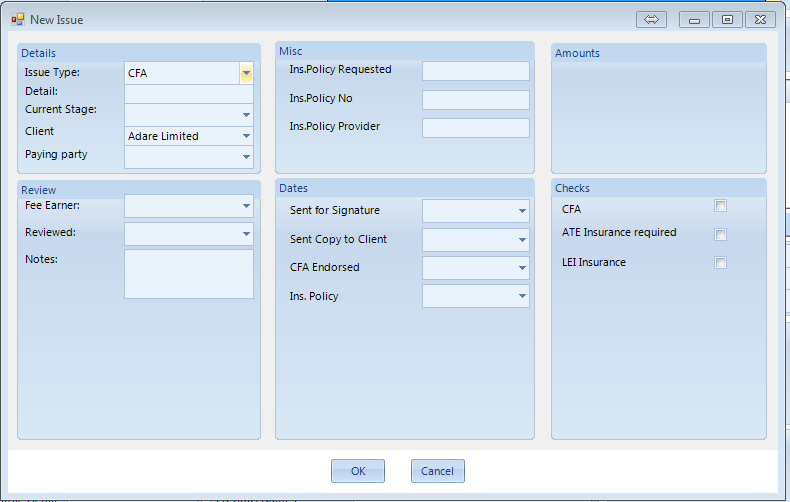
View the issue details in the case