How to scan a document
Select the Scanner
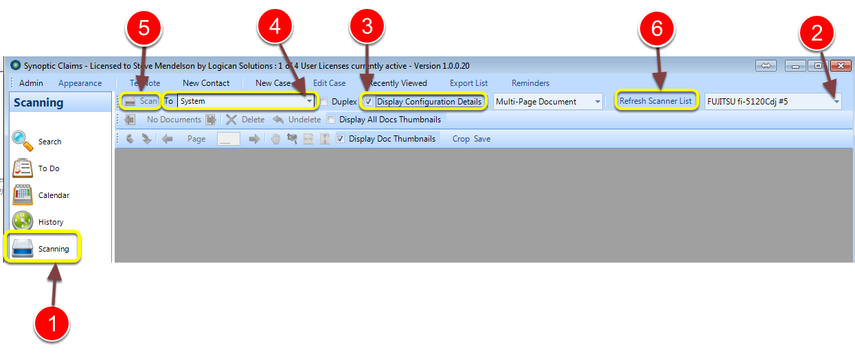
1: Click on the Scanning icon in the Side Menu.
2: Select the scanner
3: For best results tick the Display Configuration Details check box.
4: Select the user to whom the scanned documents will be sent - this default to the current user.
5: Click on the Scan button. If this is disabled click on the refresh scanner list button to re-enable it (6).
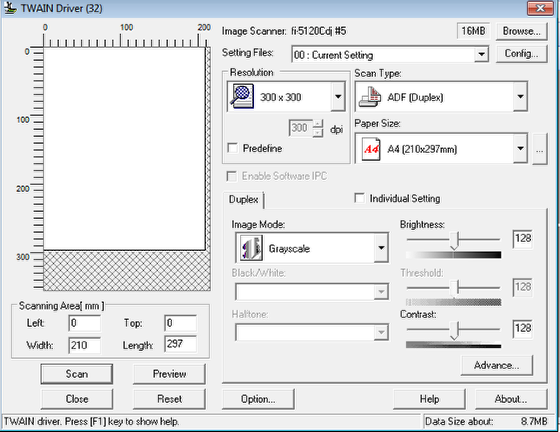
Configure your scanner settings
The document is scanned and saved
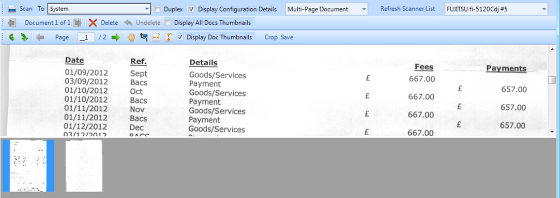
The scanned documents can then be viewed
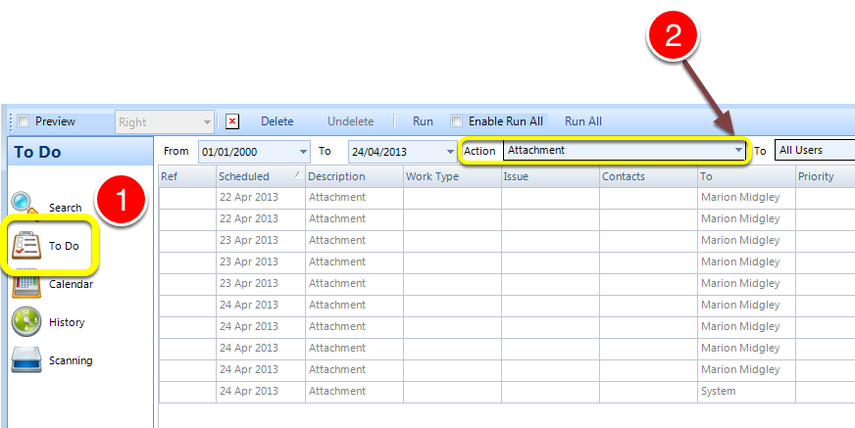
1: Click the To Do button from the Side Menu - The To Do List will open.
2: Select Attachment from the drop down list.