Getting access to the Portal
Initial Setup
When a user is initially set up on the Portal they will be sent an email containing a link that leads to a login page.
The subject of the email is Portal Access Notification.
The email contains:
- The user's login name (email address)
- A temporary password
- A link to the Portal
When the user clicks on the link they are taken to the Portal and prompted to set a new password.
Changes to user access
If a user is subsequently given access to other Investors or if any access is removed they will receive further email(s) detailing the new access.
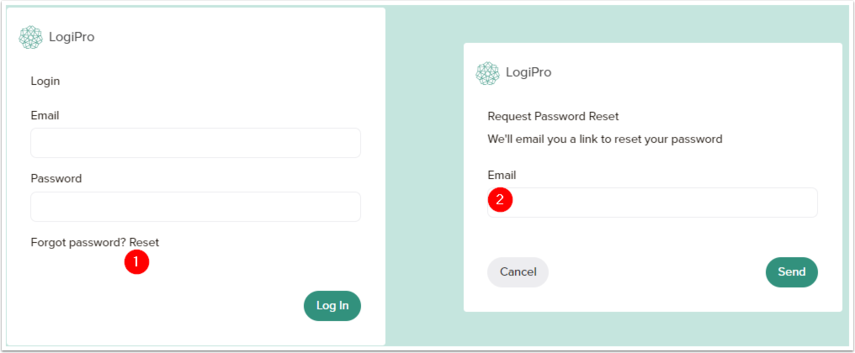
If a user has forgotten their password they can click a Forgot Password? Reset link (1) that will allow the user to enter their email address (2) which will send an email containing an email allowing them to set a new password.