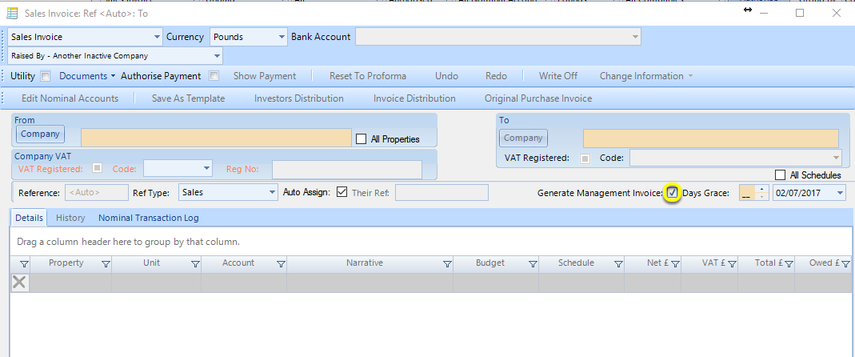
Invoices Tab
Info
Use the Invoices tab to configure how your invoices should display and output.
Invoices Tab
Click Admin > General Settings. The General Settings > Invoices tab displays.
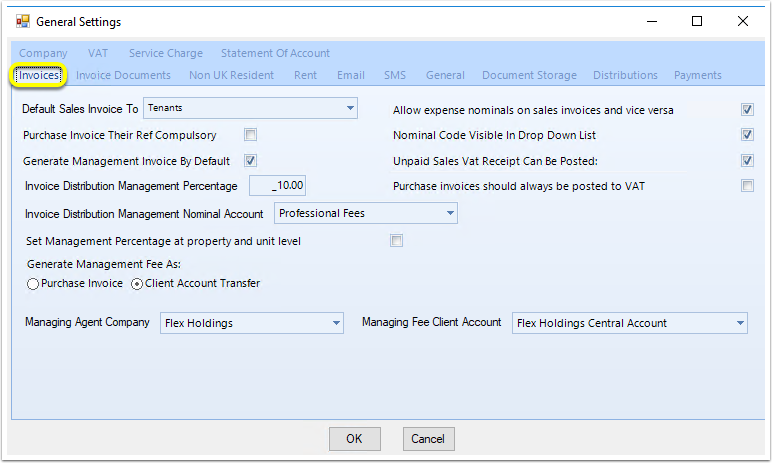
Default Sales Invoice To
From the Default Sales Invoice To drop-down list, select which type of contact sales invoices should default to.
Note: You can still click the drop-down list to choose another type of contact.
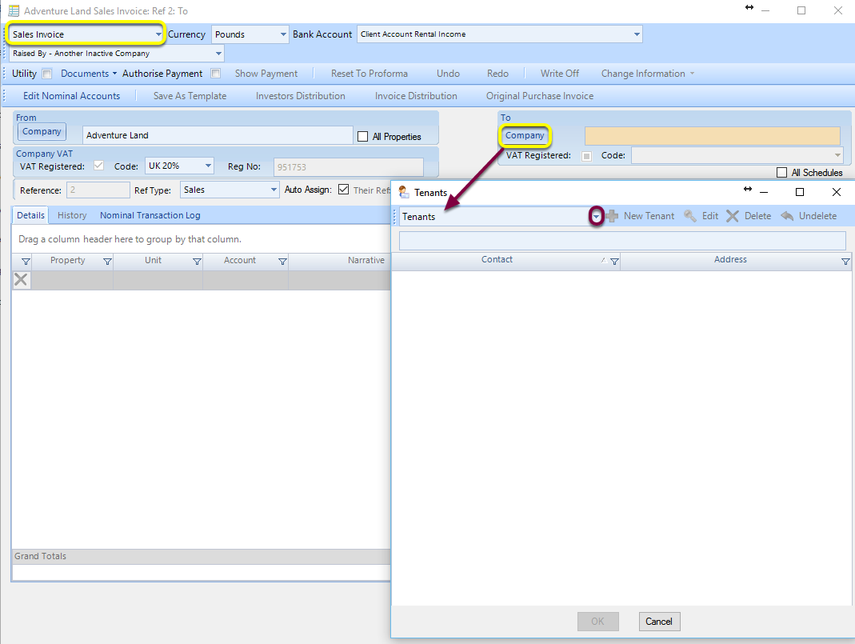
Unpaid Sales Vat Receipt Can Be Posted
Tick Unpaid Sales Vat Receipt Can Be Posted to enable the VAT Receipt button on an unpaid sales invoice.
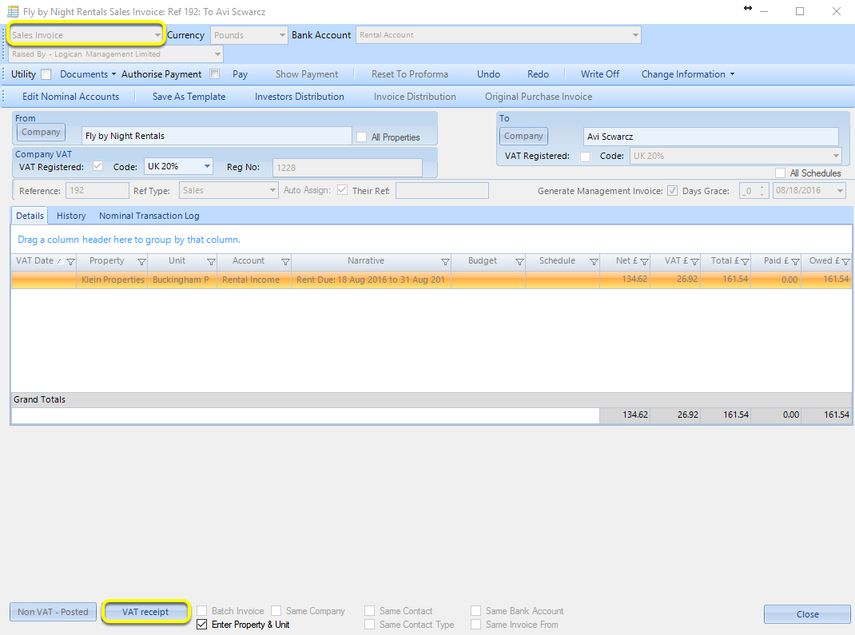
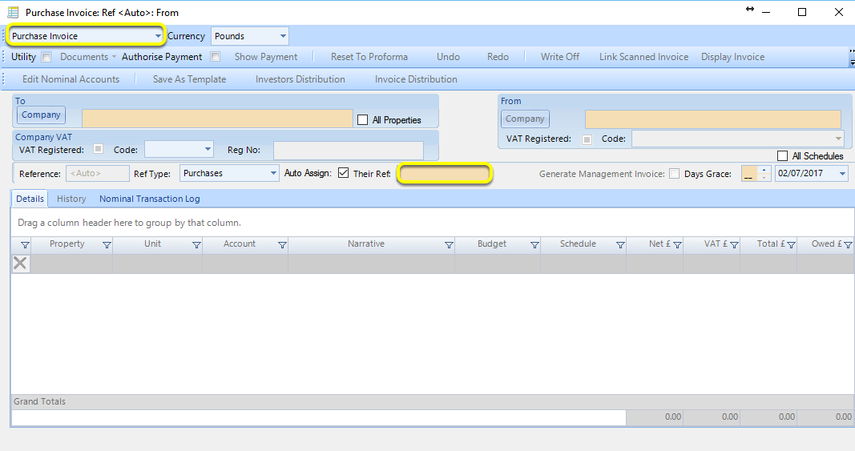
Purchase Invoice Their Ref Compulsory
Tick Purchase Invoice Their Ref Compulsory to have the Their Ref: field be mandatory on a purchase invoice.
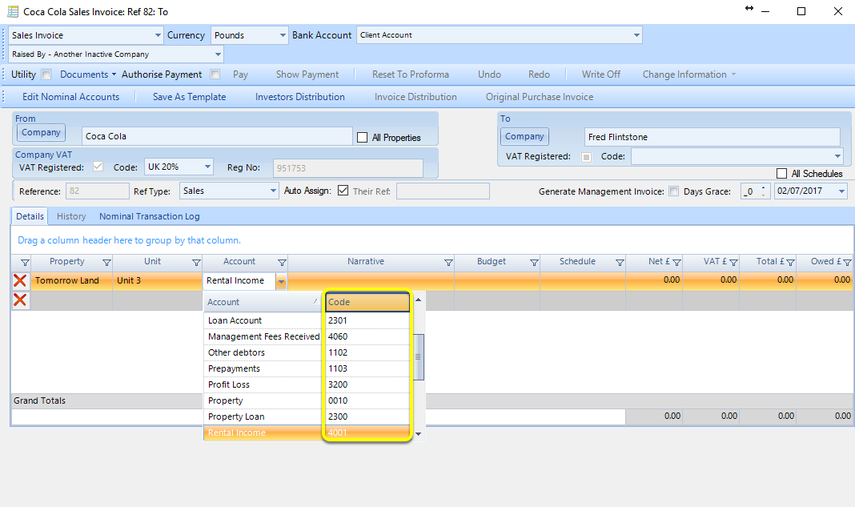
Nominal Code Visible in Drop Down List
Tick Nominal Code Visible in Drop Down List to have nominal codes visible when selecting a nominal account in an invoice.
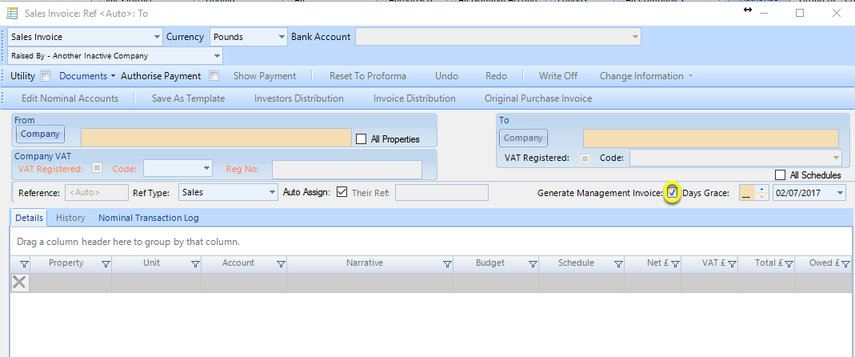
Generate Management Invoice By Default
Tick Generate Management Invoice By Default to auto-generate management invoices when sales invoices are paid.
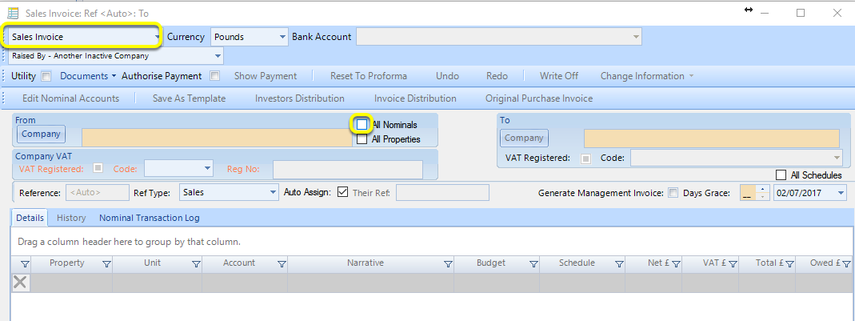
Allow expense nominals on sales invoices and vice versa
Tick Allow expense nominals on sales invoices and vice versa to enable you to be able to view All Nominals, including expense nominals on a sales invoice.
Invoice Distribution Management Nominal Account
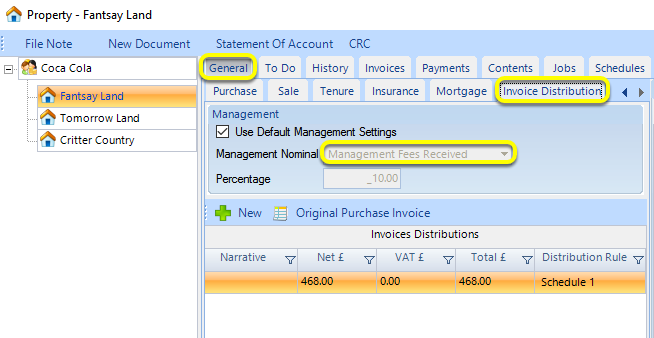
From the Invoice Distribution Management Nominal Account drop-down list, select which nominal account should be used by default when generating an invoice distribution.
Note: You can still click the Management Nominal drop-down list to choose another nominal by unticking Use Default Management Settings.
Invoice Distribution Management Percentage
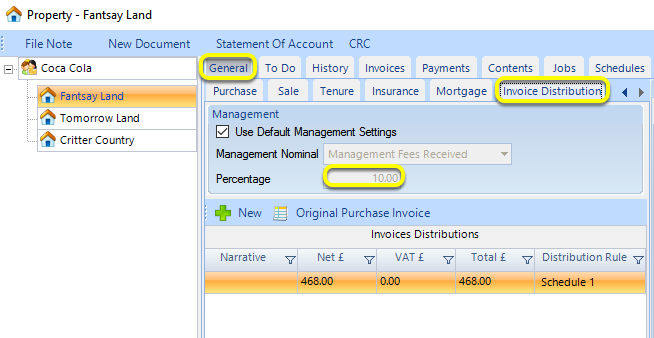
From the Invoice Distribution Management Percentage field, enter the management fee to be added by default when generating an invoice distribution.
Note: You can still change the Percentage by unticking Use Default Management Settings.
Generate Management Fee As:
Select Purchase Invoice to automatically generate a management fee invoice when a sales invoice with Generate Management Invoice ticked is paid.
Click here for instructions on generating a management fee as a Client Account Transfer.