Set the Client Account and Managing Company
Info
This process is required for setting a central management company and central client bank account. The client account is used to hold the money received from the properties, and used to pay the company owner or pay the management fees.
Create the Client Account
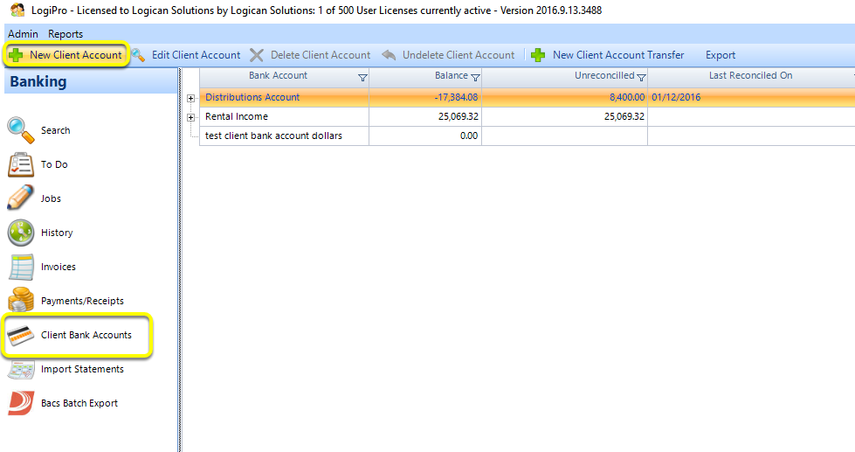
From the Client Bank Accounts window, click New Client Account. The Client Bank Account window displays.
Add the Account Details
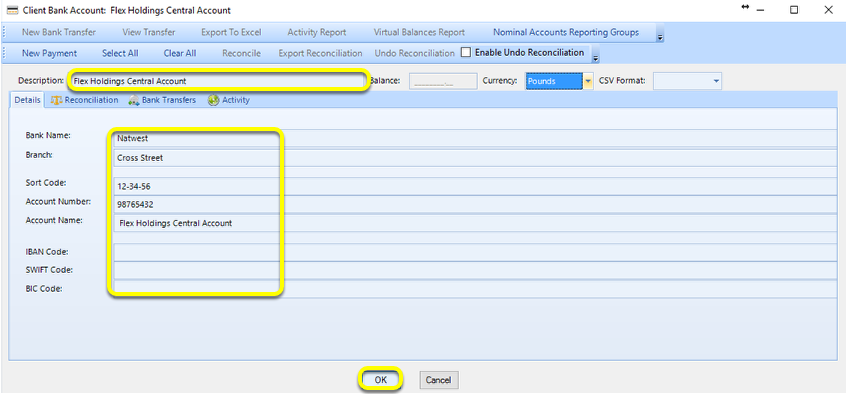
Enter the Client Account Description.
From the Details tab, enter the relevant information.
Click OK to save and close the window.
Set the Managing Company
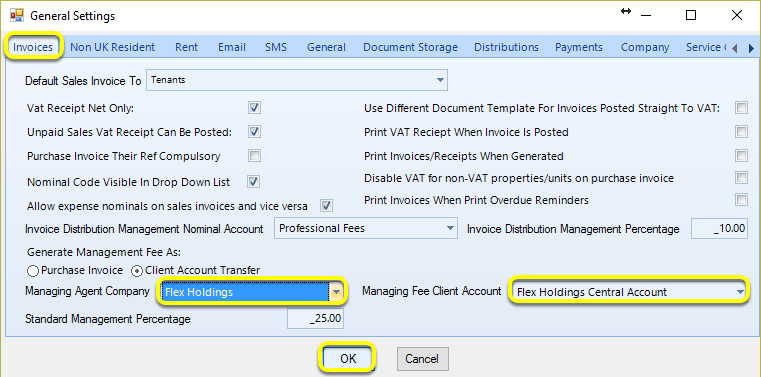
From the Admin > General Settings > Invoices tab, select the Managing Agent Company and Managing Fee Client Account.
Click OK to save your changes.