General Settings
Before the Portal is ready for use, there are a number of prerequisites that need to be configured within the LogiPro application. This article deals with the settings for the way the Portal appears to users and handles which email addresses are used to communicate to Portal users.
The following settings are set under Admin > General Settings > Investor Distributions tab
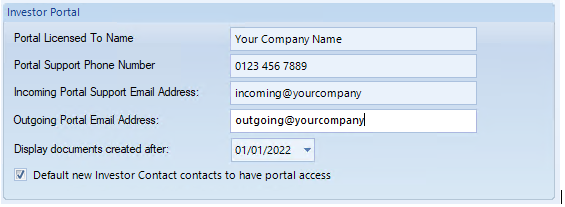
Portal Licensed to Name
When you download documents, this name is used on the newly created zip folder followed by the date.

Portal Support Phone Number
When the users account is locked, the message advising who to contact to unlock the account will show this phone number.
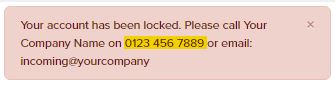
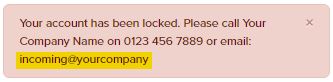
Incoming Portal Support Email Address
(1) When the users account is locked, the message advising who to contact to unlock the account will show this email address.
(2) This email address is used when user send a Help Request message.
Outgoing Portal Email Address
This Email address is used when a Portal user requests to have their password Reset.
After selecting "Reset" on the Login page and entering their email address, the Portal user will receive an email From the 'Outgoing Portal Email Address'.
\
\

Display documents created after date
When set then only documents from this date onwards would be displayed in the portal under the list of documents
Default new Investor Contact contacts to have Portal Access
Use this tickbox to control if new Investor Contacts should have Portal access as soon as they are created.