General Tab
General Tab
Click Admin > General Settings. The General Settings > General tab displays.
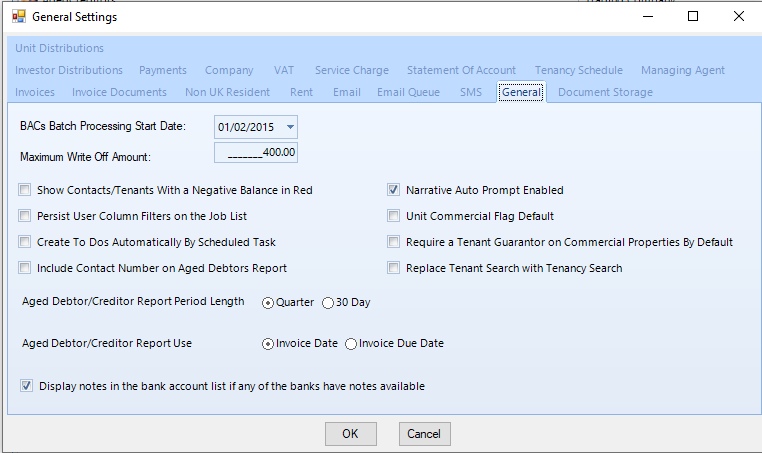
BACs Batch Processing Start Date
Enter the date to begin processing BACs payments.
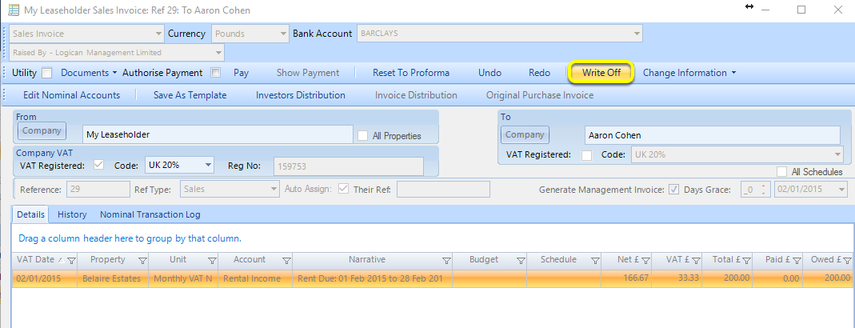
Maximum Write Off Amount
Enter a Maximum Write Off Amount.
After generating a proforma invoice or VAT receipt, if the expense becomes uncollectible, use the Write Off button provided the amount of the invoice is less than the amount specified in the config setting.
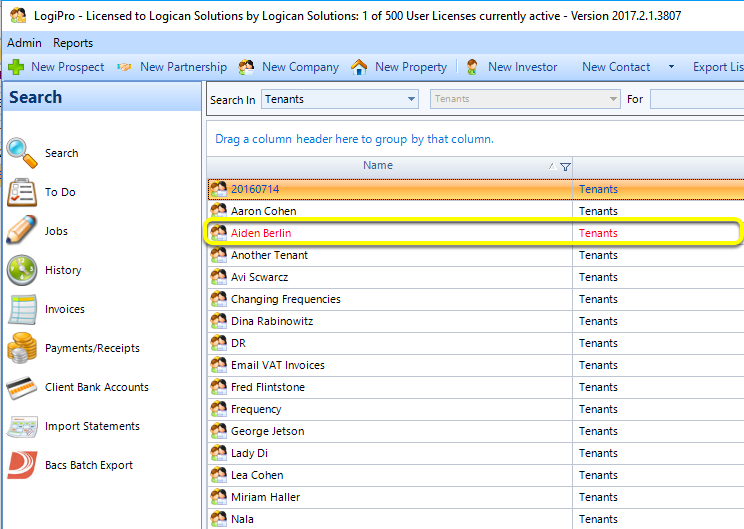
Show contacts/tenants with negative balance in red
Tick Show contacts/tenants with negative balance in red to view all tenants with a negative balance.
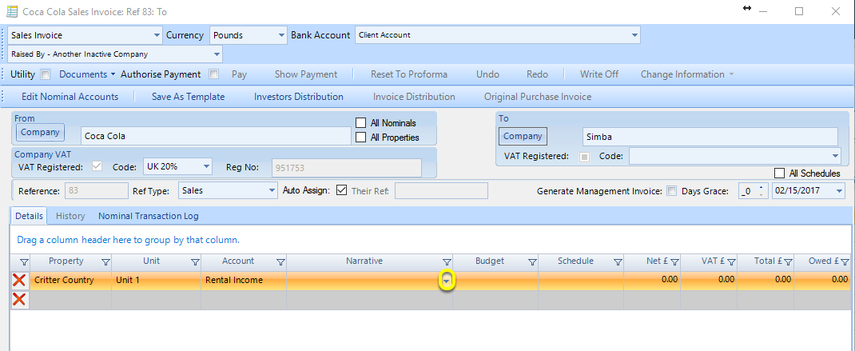
Narrative Auto Prompt Enabled
Ticking Narrative Auto Prompt Enabled enables you to select a previously entered narrative or prompts you with a previously used narrative as you begin typing.
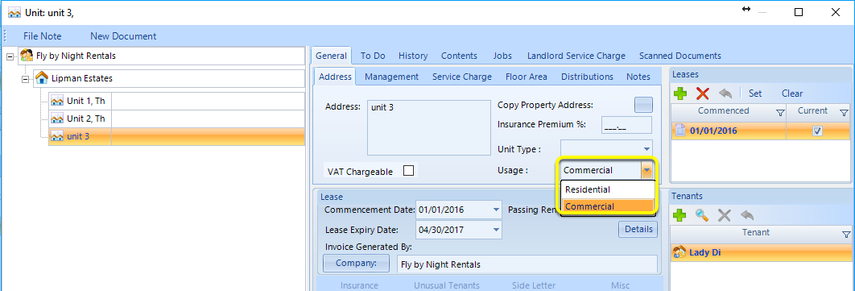
Unit Commercial Flag Default
Tick Unit Commercial Flag Default to set the default unit Usage to Commercial.
Note: You can override the setting on an individual unit by selecting Residential from the Usage drop down list.
Display notes in the bank account list if any of the bank accounts have notes available
Select Display Bank Notes in Bank Account List for steps on how to Display Bank notes.
\