How to Add Default Nominal Codes to a Supplier
Open a Supplier Contact
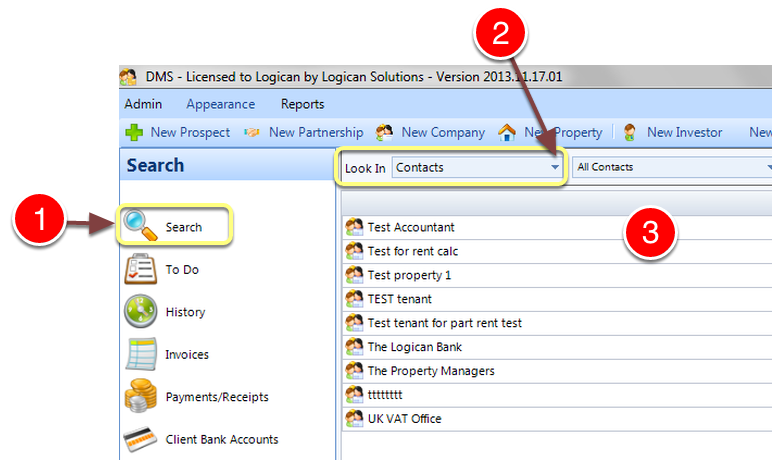
1: Click Search from the Side Menu.
2: Select Contacts from the drop down list – a list of Contacts will open.
3: Double click a contact – the Edit contact screen will open.
Open the Accounts window
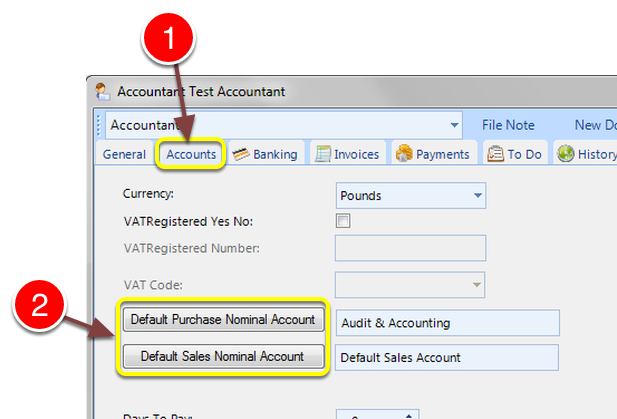
1: Select the Accounts tab – the Accounts window will open.
2: Click either the Default Purchase or Sales Nominal Account buttons – the select Nominal Accounts window will open.
Select Account
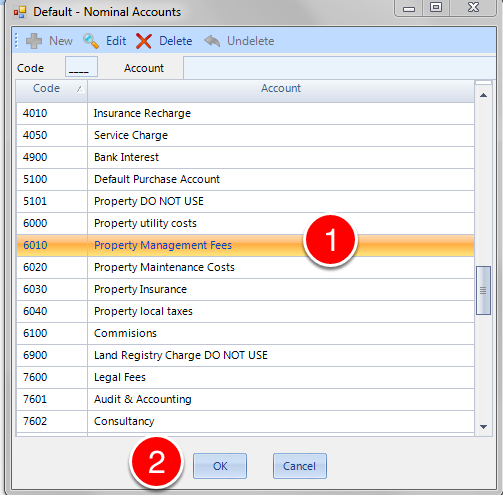
1: Select the required account.
2: Click OK – the window will close.
Close the window
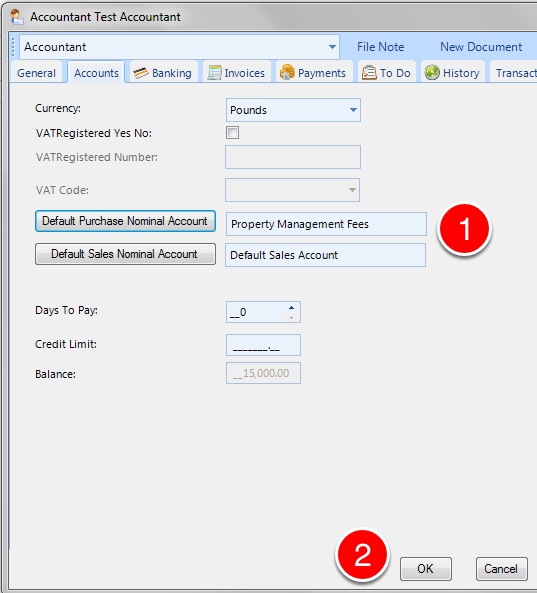
1: The Account details are changed.
2: Click OK to close the window.