How to copy Rent Details to a new Lease
Open the Unit
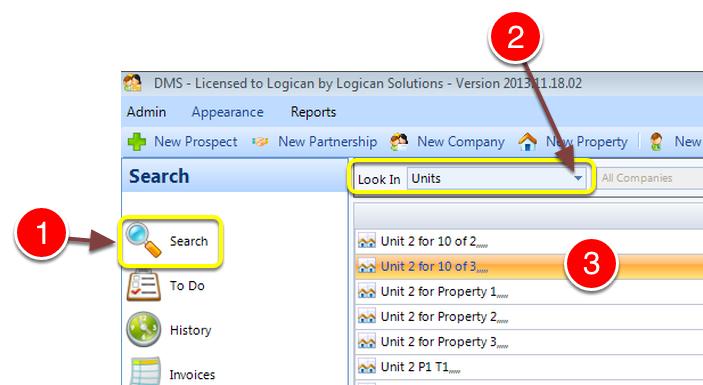
1: Click Search from the Side Menu.
2: Select Units from the drop down list – a list of Units will open.
3: Double click the required Unit select – the Edit Unit window will open.
Add a Leaseholder
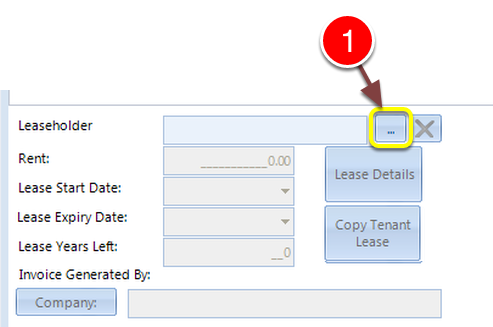
1: Click … – a list of Leaseholders will open.
Select a Leaseholder
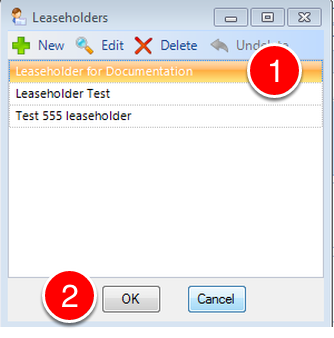
1: Select a Leaseholder.
2: Click OK – the window will close.
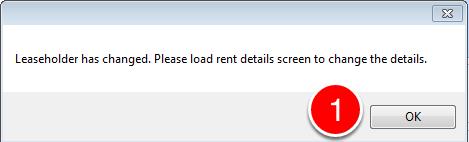
1: A warning message will be displayed reminding you to set the Lease. Click OK to close.
Copy the details
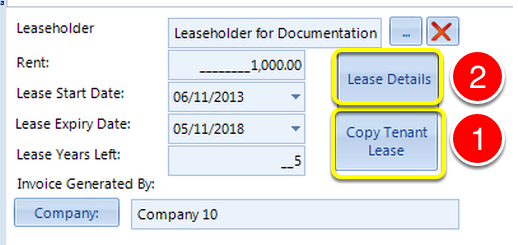
1: Click Copy tenant Lease button – the details will be copied.
2: To Save the information correctly – the Lease needs to be opened and closed. Click Lease Details.
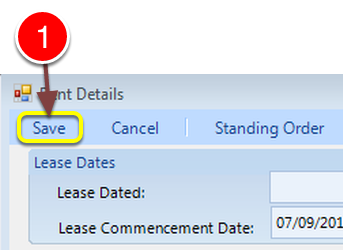
1: Click the Save button – the Lease will save and close.
1: Click OK the Unit button will close.