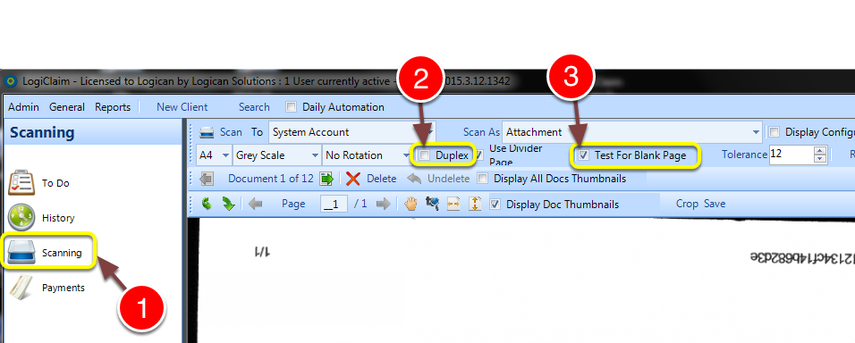
How to ignore blank pages when scanning in duplex mode¶ Open the Scanner¶ 1: Click Scanning - the Scan window will open. 2: To scan in duplex mode, click the "Duplex" tick box. 3: To ignore blank pages, click the "Test For Blank Pages" tick box.