How to turn off the Blank Page insertion for duplex printing in a PDF print.
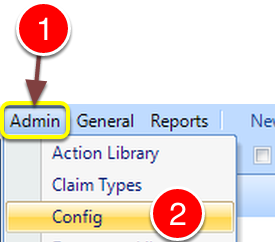
- Click Admin from the menu.
- Select Config from the drop down list - the Config will open.
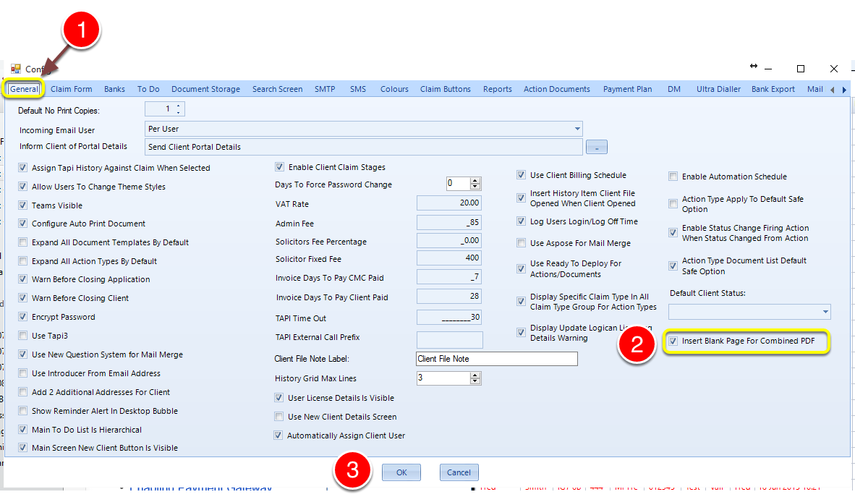
- Click the General tab - the General window will open.
- Turn the tick on Insert Blank Page For Combined PDF to paginate for duplex printing or turn it off for single side printing.
Introduced in version number 2015.8.7.1862