How to change the visible columns in the To Do list
Info
NOTE: The columns that are visible will also show in a spreadsheet when the To Do list is exported using the Export function.
Open the Config window
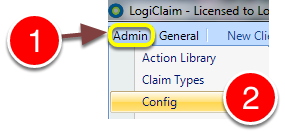
1: C;ick Admin from the Menu.
2: Select Config from the drop-down list - the Config window will open.
Choose which columns should be displayed
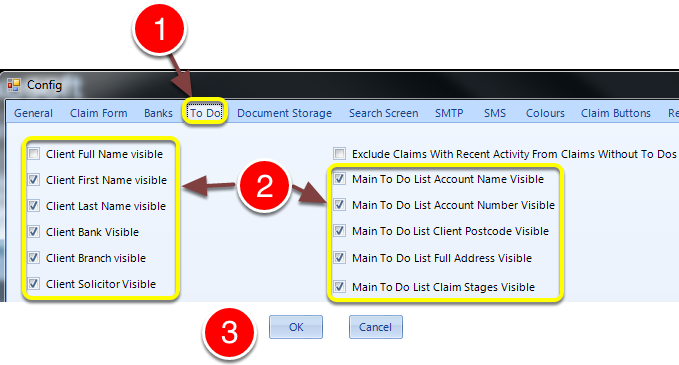
1: Click the To Do tab - the To Do config window will open.
2: Select the columns to be displayed in the main To Do list.
3: Click OK to save the settings and close the Config window.