How to Run the Payments List Report
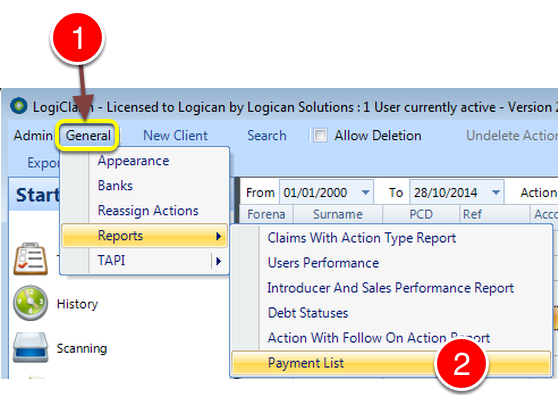
1: Click General from the Menu.
2: Select Reports --> Payment List from the drop down list - the Payments List Report will open.
Run the Report
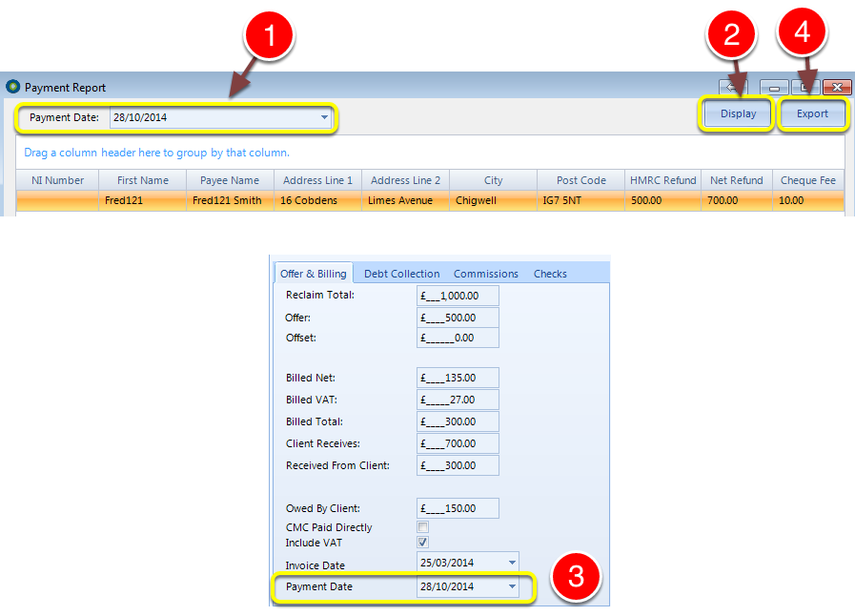
1: Select the required Date.
2: Click Display - the selected records will be displayed.
3: The Information is displayed if the Payment date in the Claim matches the selected date in the Report
4: Click Export to export the data.