How to set the Action for the Client Billing Schedule Reminder
Create the Action
Open the Action Library
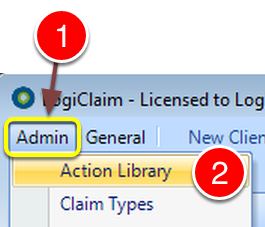
1: Click Admin from the Menu.
2: Select Action Library from the drop down list - the Action Library window will open.
Create the Action
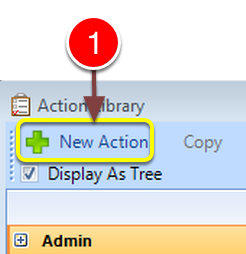
1: Click New Action - the New Action window will open.
Fill in the details
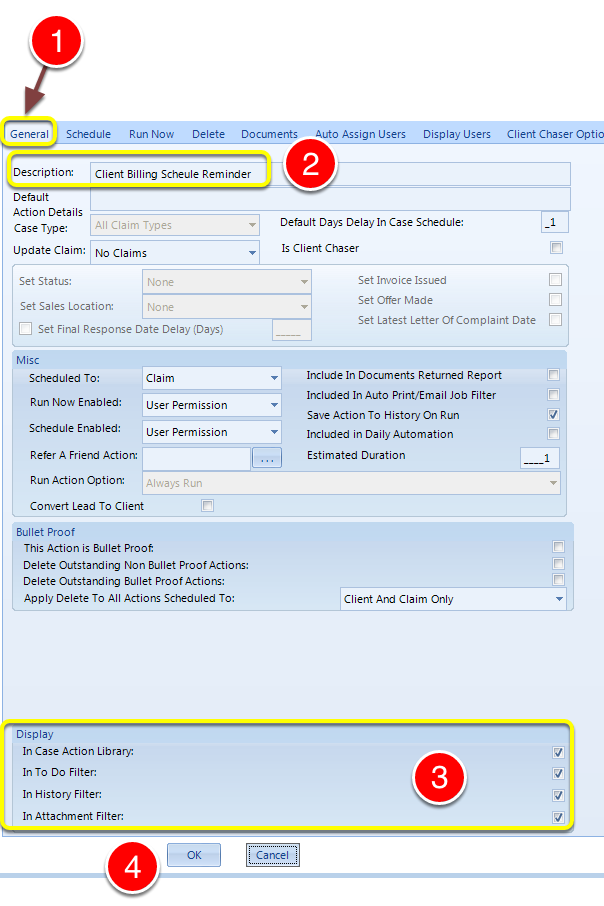
1: Select the General tab - the General window will open.
2: Type the Action Description.
3: Select the required display objects.
4: Click OK to Save the data and close the window.
Link the Action
Open the Config
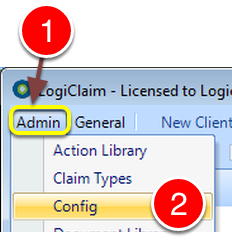
1: Click Admin from the Menu.
2: Select Config from the drop down list - the Config window will open.
Complete the details
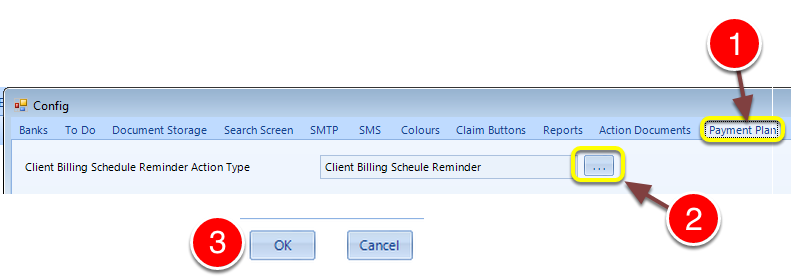
1: Select the Payment Plan tab - the Payment Plan window will open.
2: Select the Client Billing Schedule Reminder Action from the pop-out list.
3: Click OK to Save the data and close the window.