How to toggle free typing in the Client Salutation field
Open the Config window
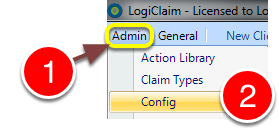
1: Click Admin from the Menu.
2: Select Config from the drop-down menu - the Config window will open.
Change the setting
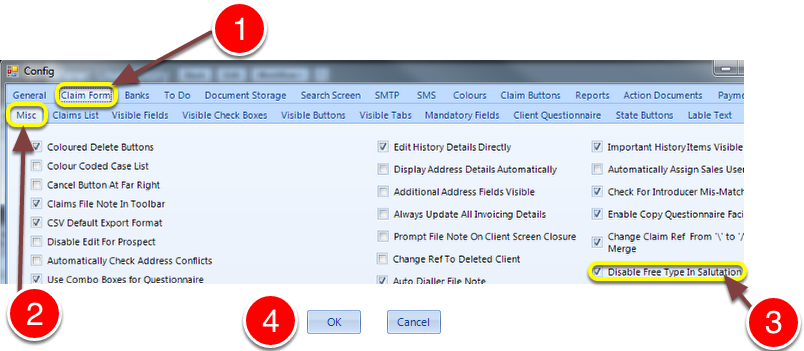
1: Click the Claim Form tab.
2: Click the Misc tab - the Misc Claim Form config window will open.
3: Tick the Disable Free Type In Salutation check-box to only allow a pre-set salutation shown in a drop-down list.
4: Click OK to save the setting and close the Config window.