How to Re-assign a User in a Claim Stage
Open the Claim Stage window
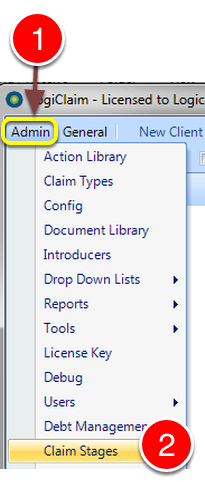
1: Select Admin from the menu.
2: Select Claim Stages from the drop down list - the Claim Stages window will open.
Select the required Claim Stage
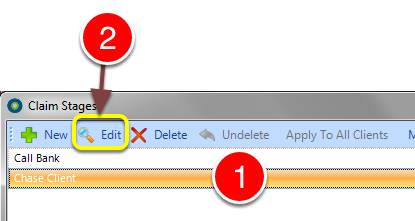
1: Select the required Claim Stage.
2: Click Edit - the Edit Claim Stage window will open.
Select the Users and perform the Action
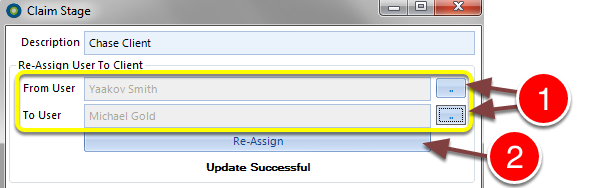
1: Select the required Users from the pop-out lists.
2: Click the Re-Assign button to perform the action.