Date Joined Visibility Permission
This feature enables a user to choose whether to allow other users to view the date when a client joined.
Permission
Open relevant Client.
Date Client Joined is visible.
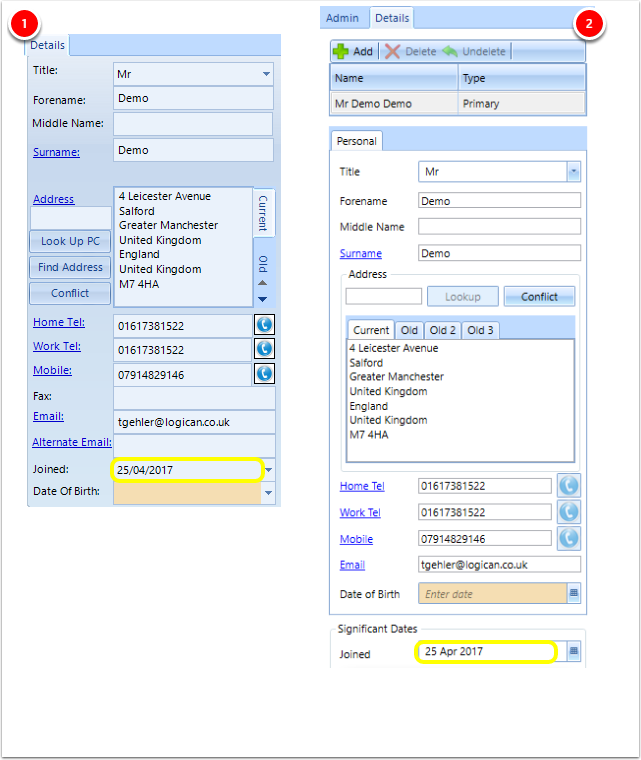
1 - Old Contact Page
2- New Contact Page
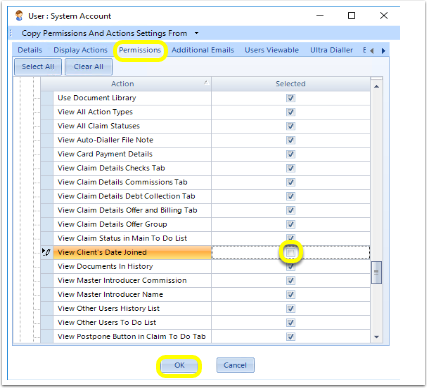
Click Admin > Users > Users > edit the relevant user > Permissions > from the General section, untick View Client's Date Joined > OK.
Log out.
Log back in as the correct User.
Open the relevant client.
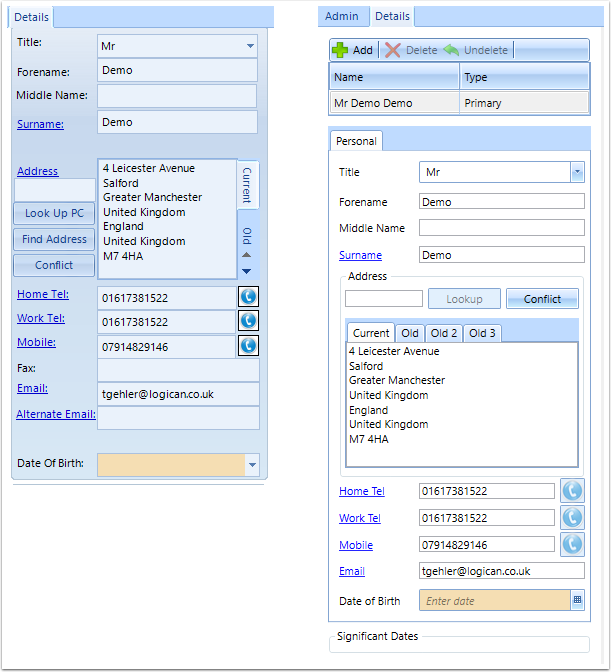
Date Joined is no longer visible.
Introduced in Version 2018.11.4.5306 released on 8/11/2018.