Adding Previous Addresses Using The New Client Window
Unlimited Previous Addresses can be added for a Client, both for a Primary Contact and a Secondary Contact.
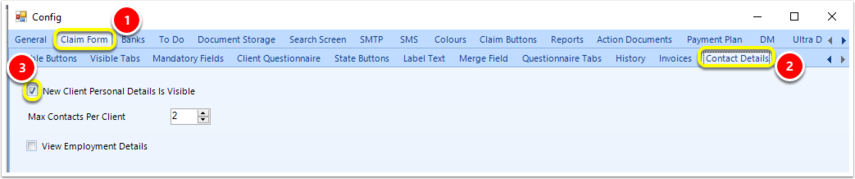
To use the New Client Window, go to Admin > Config > Claim Form tab > Contact Details tab > tick New Client Personal Details Is Visible.
Open the Client.
Go to Details tab > Previous Addresses tab > Add.
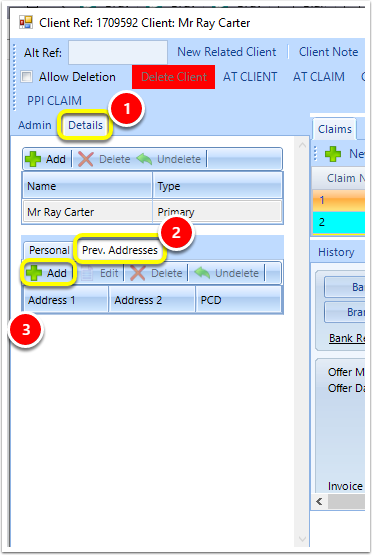
A new window will then pop up allowing you to enter the Address details.
Introduced in version 2019.4.9.6078 released on 11/06/2019.