How to use the Run Now feature in Actions
Info
When an Action is Run. other Actions can be instructed to Run at the same time.
Open the Action Library
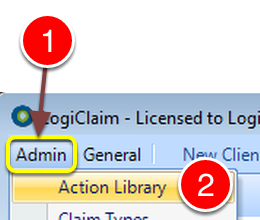
1: Click Admin from the Menu.
2: Select Action Library from the drop down list - the Action Library will open.
Open the Action
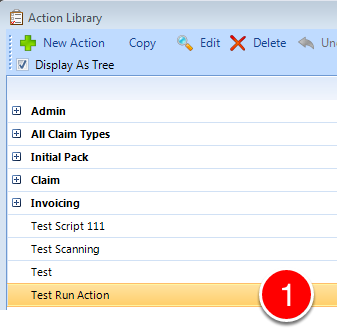
1: Open the Action that you wish to add the Run Now to by double clicking it.
Configure the Action
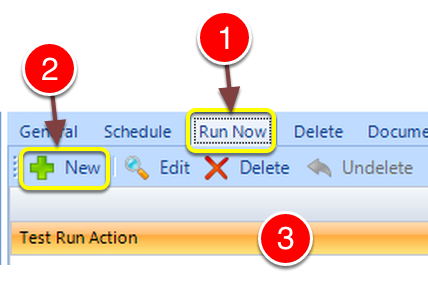
1: Click the Run Now tab - the Run Now window will open.
2: Click New - A ne line will be created - This line will show the current Action.
Select the required Action
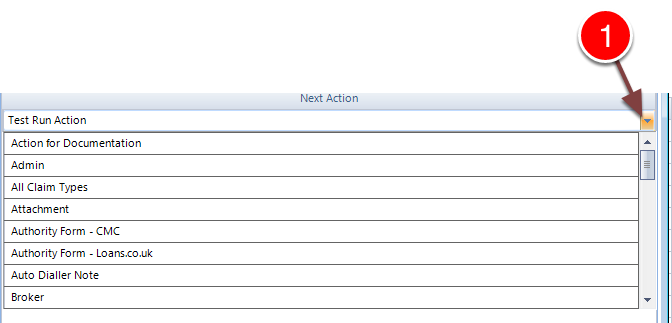
1: Select the required Action from the Drop Down list.
Further Actions can be added by clicking New.
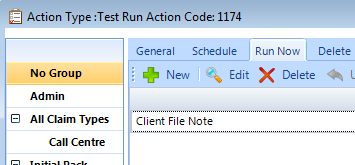
In this example - Running the Action "Test Run Action" will also run the Action "Client File Note"