How to run the Action with Follow On Action Report
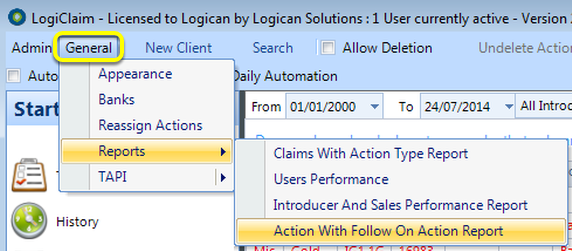
Open the report
Configure the report
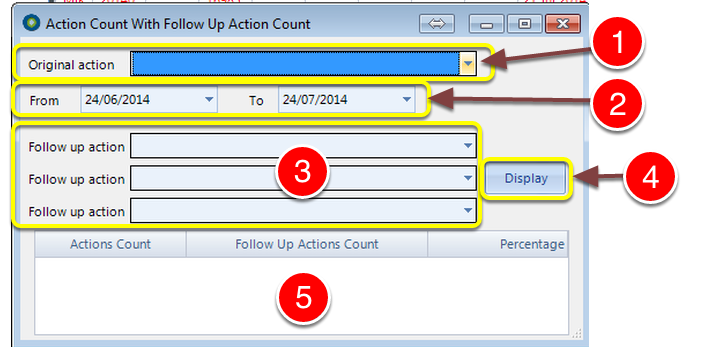
1: Select an Original Action from the drop down list.
2: Select a Date range.
3: Select up to 3 Follow up Action(s) from the drop down lists.
4: Click Display.
5: Results will be displayed.