How to set up Client Statuses
The User must be authorised to set up Client Statuses. Click here for instruction.
Open the Client Statuses
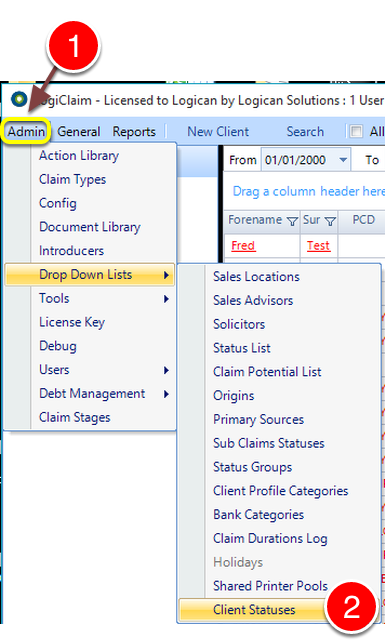
- Click Admin from the Menu.
- Select Drop Down Lists -> Client Statuses from the drop down list - The Client Statuses window will open.
Add a Status
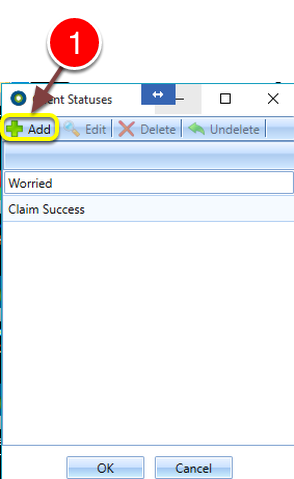
- Click Add - The Add Client Status window will open.
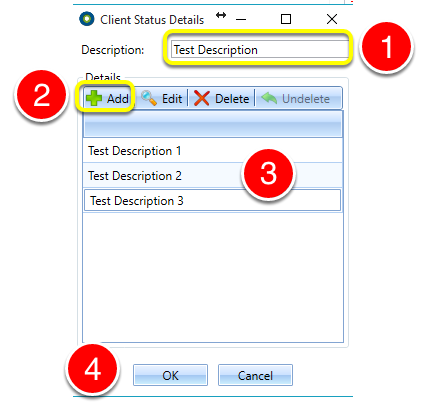
- Enter a Description for the Client Status.
- Click Add, a new line will be presented to type in a Client Status Detail.
- Type the Client Status Detail - Click Add again to add more.
- When finished, click OK to save the data and close the window.
Close the window
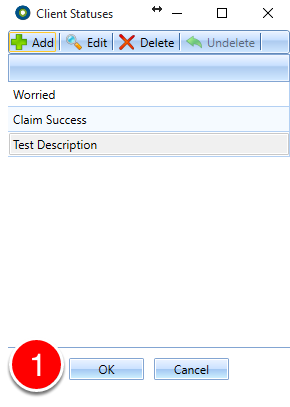
- Click OK to close the window.