How to Edit an Introducer
Open the Introducer window
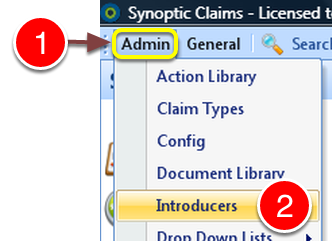
1: Click Admin from the Menu.
2: Click Introducers from the drop down list - the Introducers window will open.

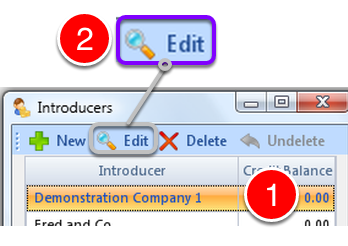
1: Select the Introducer to Edit.
2: Click Edit from the menu - the Edit Introducer window will open.
Edit the General Details
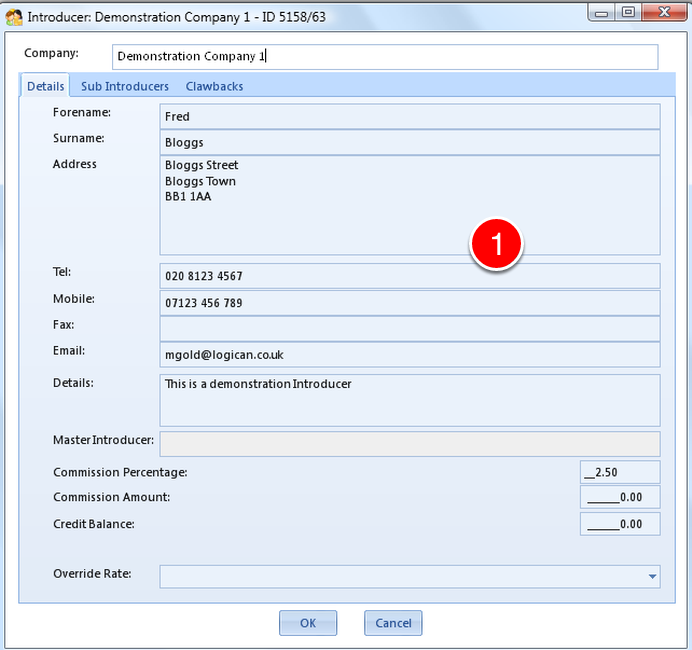
1: Edit the details as required.
Add or Delete Sub-Introducers
To Add o Delete Sub Introducers, click the Sub Introducers Tab - for full instructions click here.