Changing a Debt Stauses name
Open the Debt Statuses window
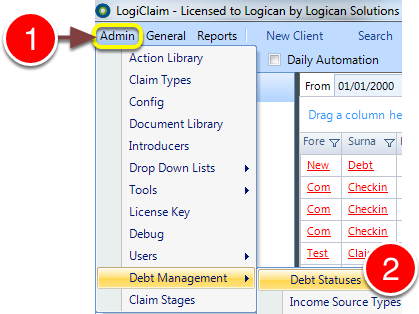
1: Click Admin in the menu.
2: Select Debt Management --> Debt Statuses from the drop-down menu - the Debt Statuses window will open.
Select the Debt Status to edit
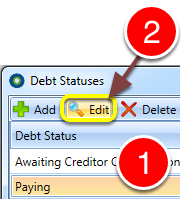
1: Select the required Debt Status to edit.
2: Click Edit - a cursor will appear in the line
Change the name
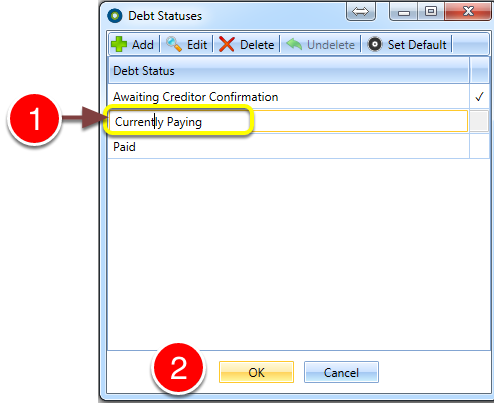
1: Type the new name.
2: Click OK to save and close the window.