Removing an Interest Status from the list
Open the Interest Statuses window
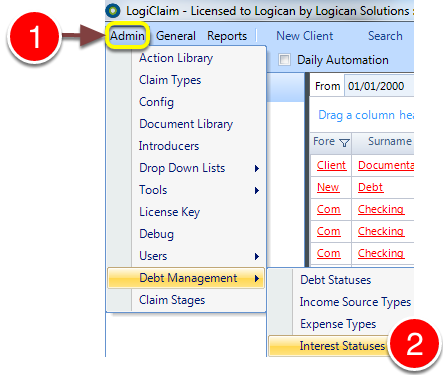
1: Click Admin in the menu.
2: Select Debt Management --> Interest Statuses from the drop-down menu - the Debt Statuses window will open.
Delete the Interest Status
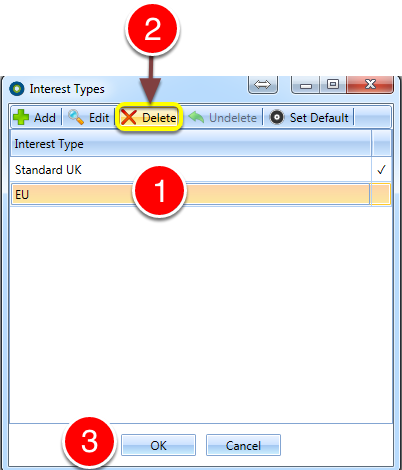
1: Select the unrequired Debt Status.
2: Click Delete.
3: Click OK to save the changes and close the window.