Choosing the payment plan payment due action
Info
An action will be scheduled for each due payment, follow the steps below to choose the action to be scheduled.
Open the Config
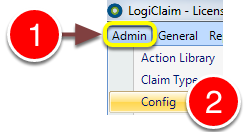
1: Click Admin from the menu.
2: Select the Config from the drop-down menu - the Config will open.
Select the Action
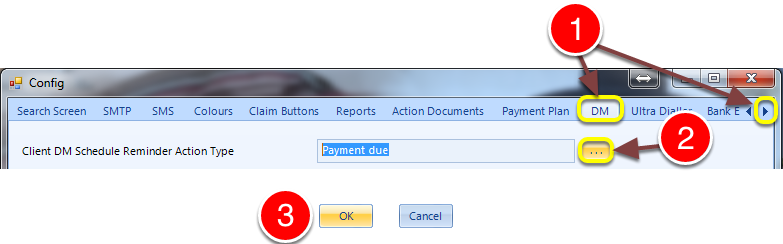
1: Scroll right and click on the DM tab.
2: Click the ... button - the action library window will pop-out. Double-click on the required action.
3: Click OK to save the setting and close the window.