How to automatically replace text in Distribution Nominal Reports
Info
Once you have set up the mappings the distribution will automatically do the replace when you preform a distribution.
Open the "Distribution Nominals Report Descriptions Mapping" Window
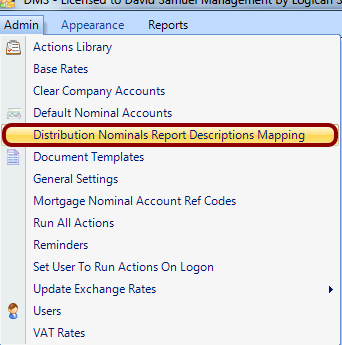
Map the Nominal Account Description to The Report Description
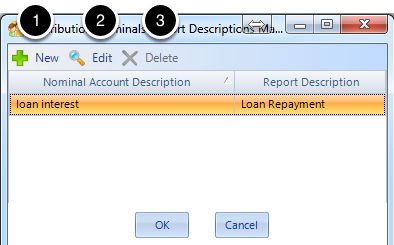
(1) To enter a new mapping hit "New"
(2) To edit a mapping either click on the cell you want to edit or select the cell you want to edit and select "Edit"
(3) To delete a code select the mapping and hit "Delete". You need to have at least two mappings to delete.