How to choose if a Rent Invoice should be printed automatically or not
Open the required Unit
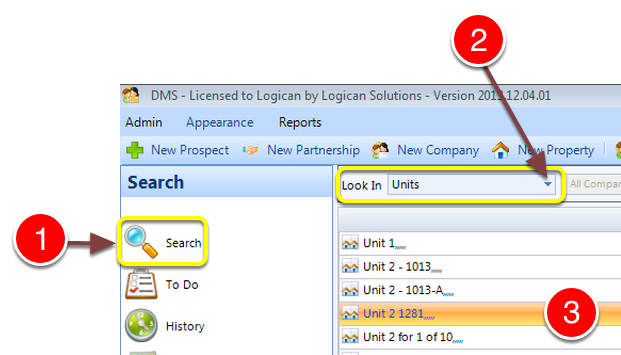
1: Click Search from the Side Menu.
2: Select Units from the drop down list - a list of Units will open.
3: Double click a Unit to select it - The Unit window will open.
Open the Rent Details
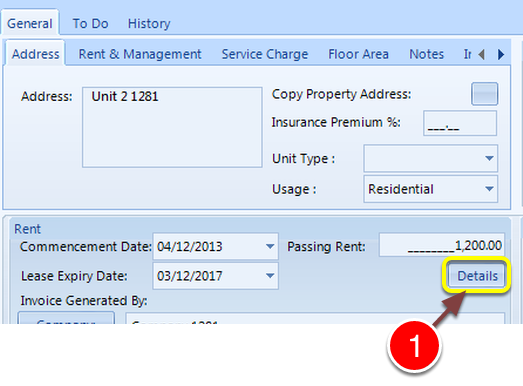
1: Click the Details button - the Rent Details window will open.
Select Options
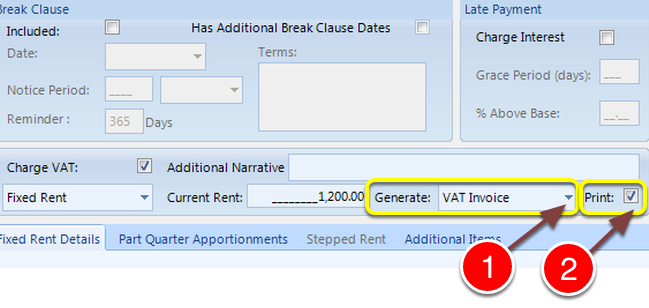
1: Select VAT Invoice or Pro-Forma Invoice from the drop down list.
2: Click the Print check box. Turn the tick on to automatically print and off to manually print the invoice.
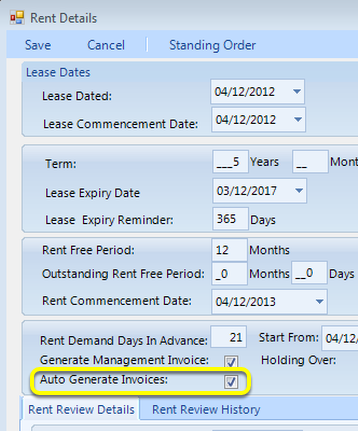
Note: Do not forget that the Auto Generate Invoices tick must be on for invoices to automatically generate.
Save the Data
1: Click Save to Save the data - the window will close.
Examples
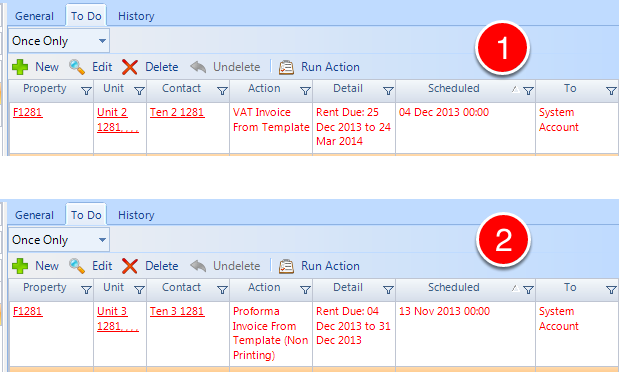
The invoices show in the To Do list:
1: A VAT Invoice has been created for Auto Print.
2: A Proforma Invoice has been created with Auto Print turned off.