How to Add, Edit or Delete item from the Content Types list
Open Content Types window
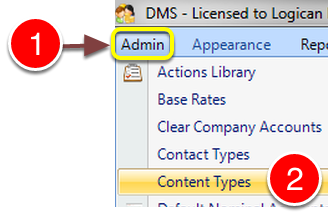
1: Click Admin from the Menu.
2: Select Content Types from the drop down list - the Content Types list will open.
Add new item
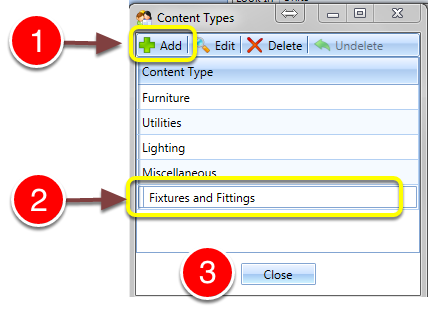
1: Click Add - a blank line will open.
2: Type description.
3: Click Close - the window will close.
Edit an Item
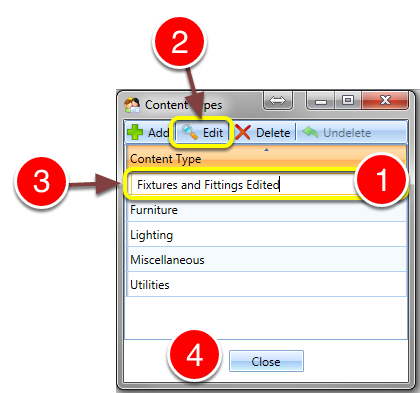
1: Click on the item to be edited.
2: Click Edit - the entry will allow editing.
3: Type new description.
4: Click Close - the window will close.
Delete an Item
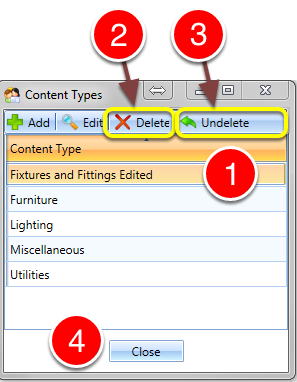
1: Select the Item from the list to be deleted.
2: Click Delete to delete the Item.
3: If deleted in error, click Undelete to restore the Item.
4: Click Close - the window will close.