How to Use the Tenancy Tab in a Tenant contact
Search for a Tenant
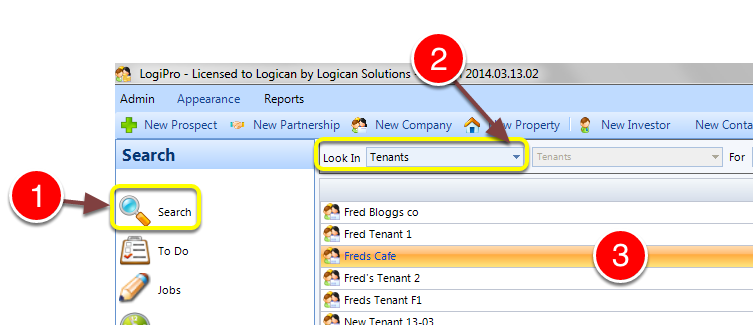
1: Click the Search button on the Side Menu.
2: Select Tenants from the drop down list.
3: Double click a Tenant - The Tenant window will open.
Open the Tenancies window
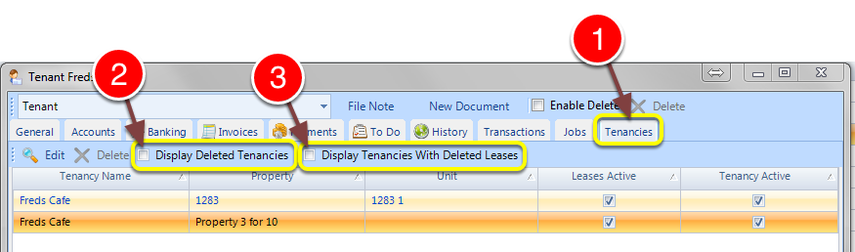
1: Click the Tenancies tab - the Tenancies window will open.
The window displays all Tenancies associated with the selected Tenant.
2: All Delete Tenancies can be displayed by ticking the Checkbox.
3: All Tenancies with Deleted Leases can be displayed by ticking the Checkbox.