How to show all the Transactions for a Company
Select a Company
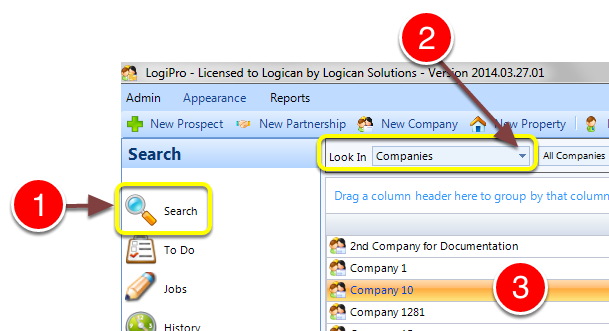
1: Click Search from the side menu.
2: Select Companies from the drop down list - a list of companies will open.
3: Double click a Company to select it - the Company window will open.
Select the Transactions
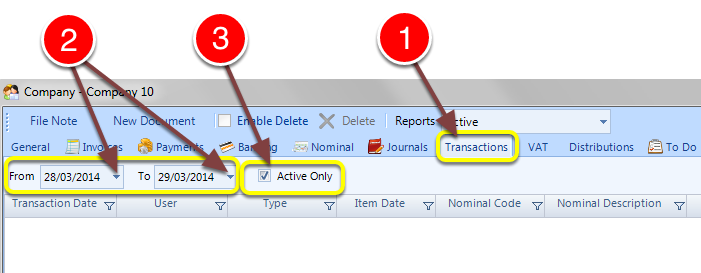
1: Click the Transactions tab - the Transactions window will open.
2: Select to and From dates - the transactions will display.
3: Select if you require only Active transactions.
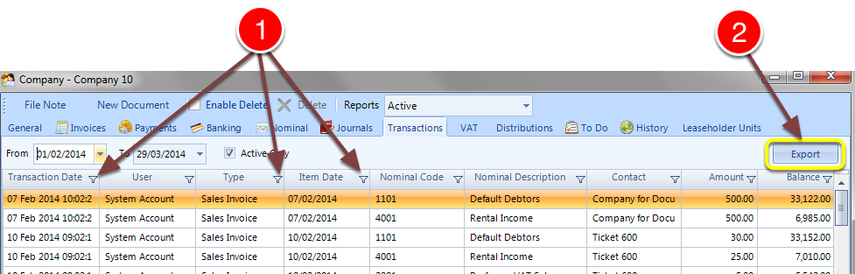
1: The data search can be refined by using the Filters at the top of each column.
2: The selected data can be exported by clicking the Export button.