Merging Nominal Accounts
Merging Default Nominal Accounts
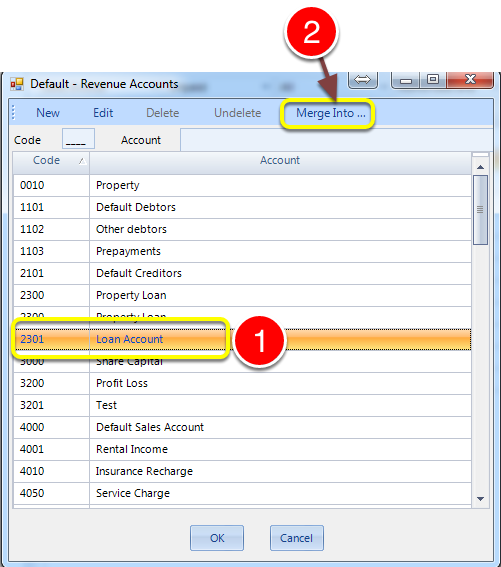
- Open the Default Nominal Accounts window from the Admin tab and highlight a Nominal Account to merge.
- Click the Merge Into button.
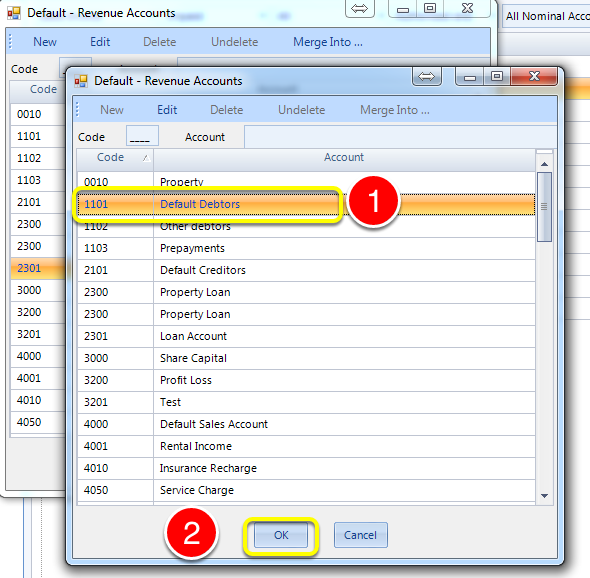
- Highlight the account you wish to merge into by clicking on it.
- Click OK to save the data and close the window.
Merging Customer Nominal Accounts
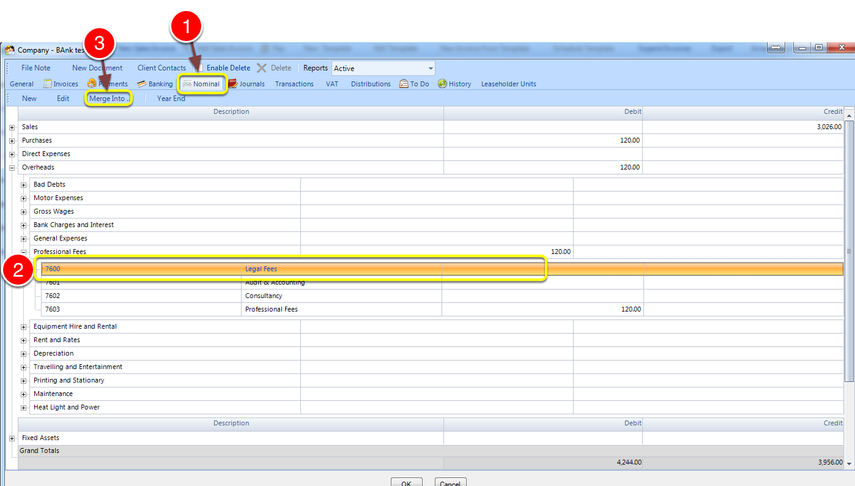
- Open a company and click Nominal tab.
- Select a nominal account by drilling down through the menu (only accounts with a number next to them can be merged.)
- Click Merge Into (If the account is not a default Nominal Account the nominal account window opens)
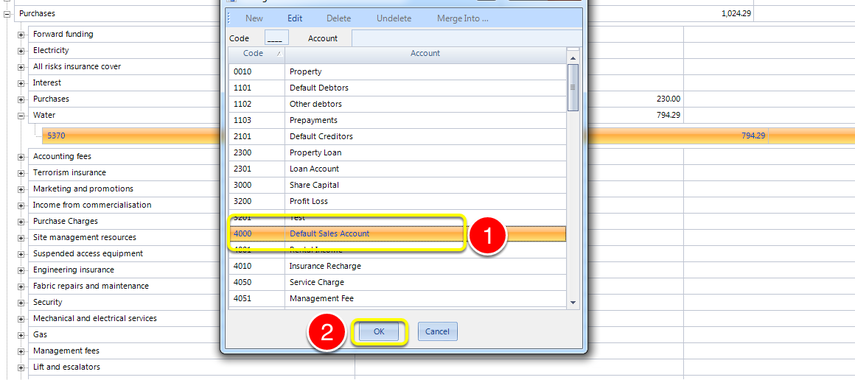
- Select the account you want to merge into.
- Click OK to complete the merge.
Introduced in version number 2015.7.8.1701 - 14/07/2015