View Original Purchase Invoice from a Distributed Invoice
Info
This feature enables you to view the original purchase invoice that has been distributed to a tenant or leaseholder.
Click Search > Tenants > select a tenant with a distributed invoice and double-click to open the tenant. The Tenant window displays.
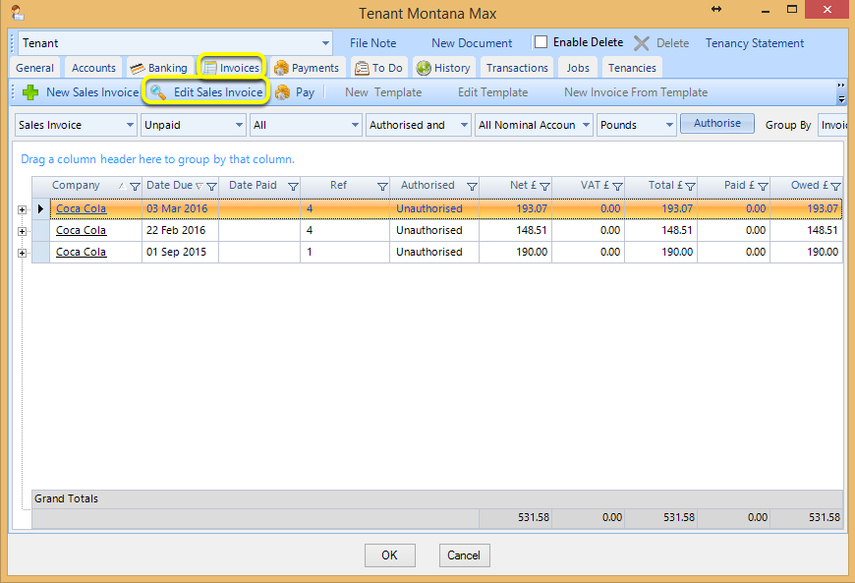
From the Invoices tab, select the distributed invoice and click Edit Sales Invoice. The Sales Invoice displays.
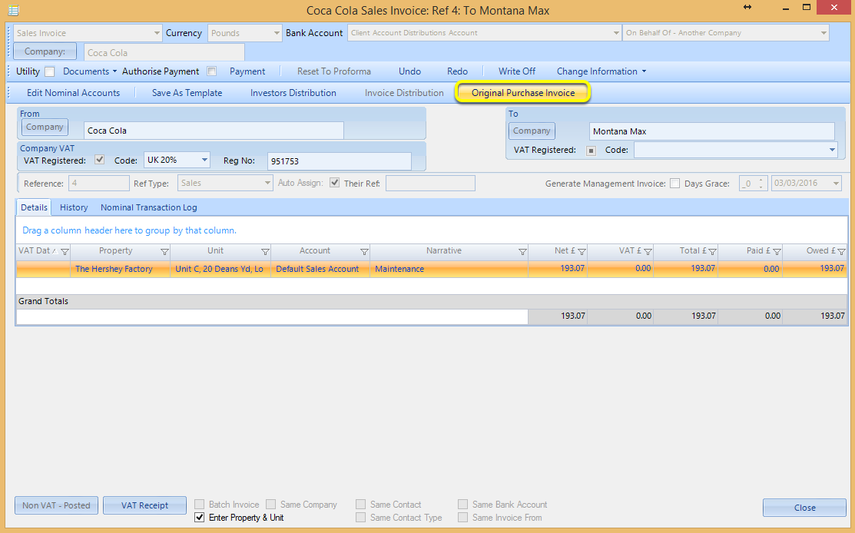
Click Original Purchase Invoice to open the originally distributed purchase invoice.
Introduced in version 2016.3.8.2403, released on 15/03/2016.