Configure Scanned Documents
Info
This feature enables you to attach scanned documents to all Company types, Investors, Contacts, Properties, Units and Tenancies.
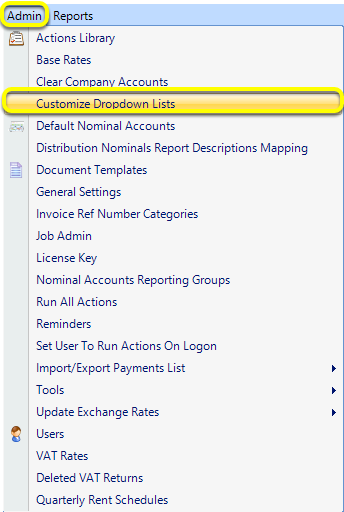
To set up your documents click Admin > Customize Dropdown Lists. The Customizable Dropdown Lists displays.
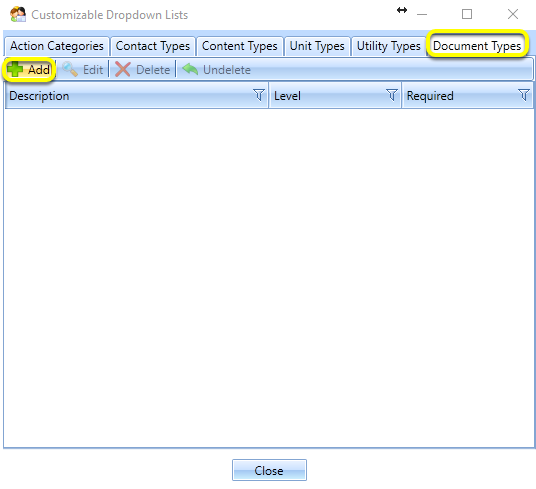
From the Document Types tab, click Add. The New Document Type window displays.
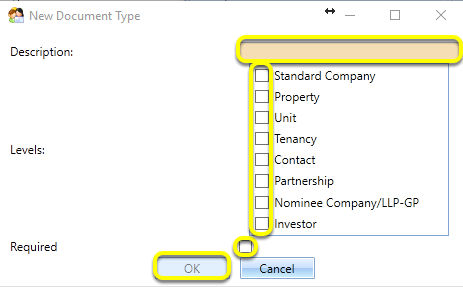
Enter a Description.
Select the relevant Levels.
Note: Standard Company includes trading companies, service charge companies, leaseholders and KG companies.
Select if the document type is Required for the selected levels.
Note: If a document type is Required, it displays on each Scanned Document tab for that level.
Note: Placeholders for Required documents will also display for all levels in the navigational tree.
There are two hierarchies:
- Company* > Property > Unit > Tenancy or Partnership > Nominee Company > Property* >
Unit* > Tenancy***
- Tenant* (Contact) > Tenancy** *
Click OK.
Introduced in version 2017.2.1.3769 released on 7/2/2017