How to change the "Cancelled" label for your own text
In the Claim window
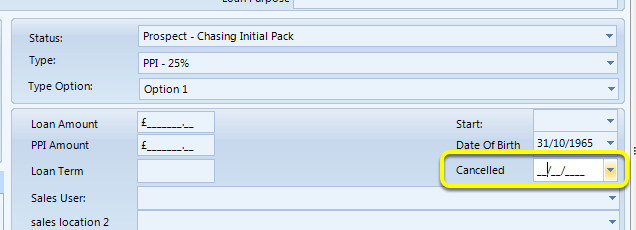
In the claim, there is a Cancelled field where a date can be selected.
Below are the steps on how this field can be renamed.
Open the Config
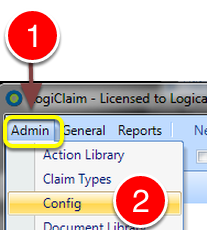
1: Click Admin from the menu.
2: Select Config from the drop down list - The Config window will open.
Change the Label
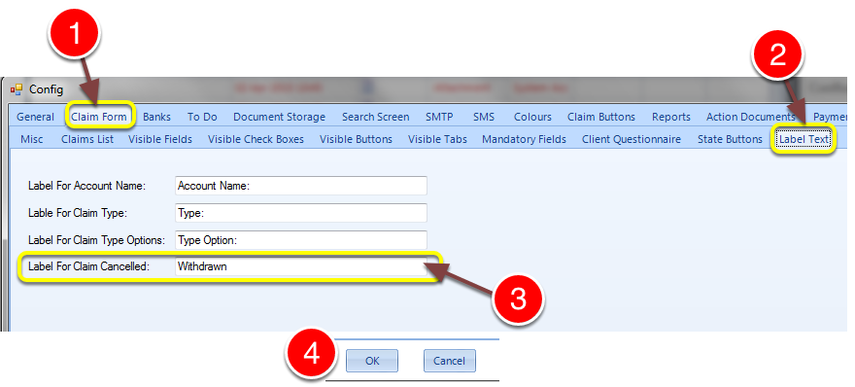
1: Click the Claim Form Tab - the Claim Form window will open.
2: Click the Label Text tab - the Label Text window will open.
3: Type the new description for the label.
4: Click OK to Save the data and close the window.
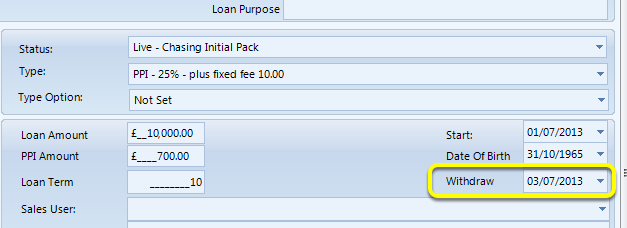
Note the label has been changed on the Claim window
Introduced in version number 2015.4.16.1398