Blocking Users from editing the Client Alt Ref field
Open the Users window
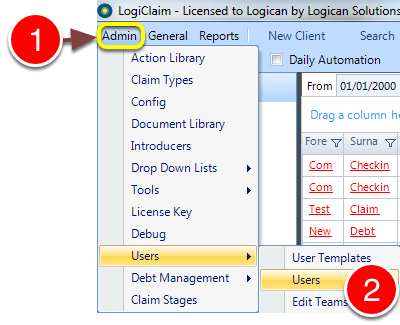
1: Click Admin from the menu.
2: Select Users --> Users from the drop-down menu - the Users window will open.
Open the User's window
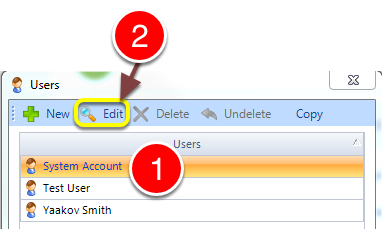
1: Select the required User.
2: Click edit - User's window will open.
Change the permission
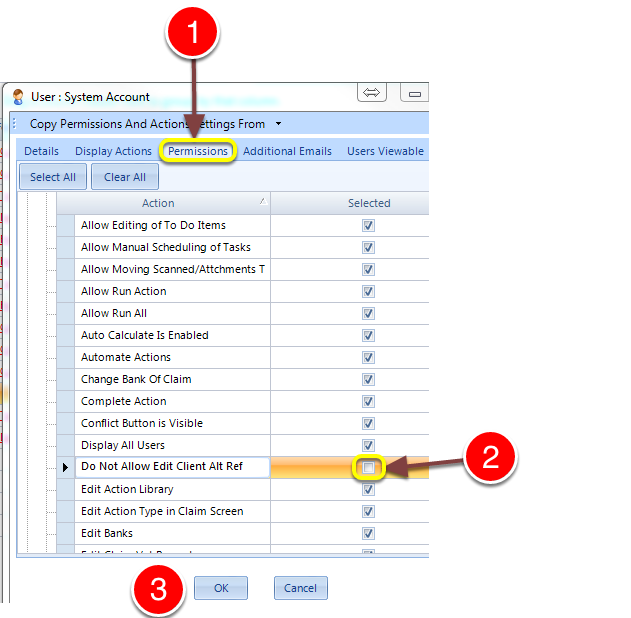
1: Click on the Permissions tab - the Permissions window will open.
2: Tick to Allow or untick to Block editing of the Alt Client ref.
3: Click OK to save and close the window.