How to enable Next buttons for New Debt Client set-up
Open the User window
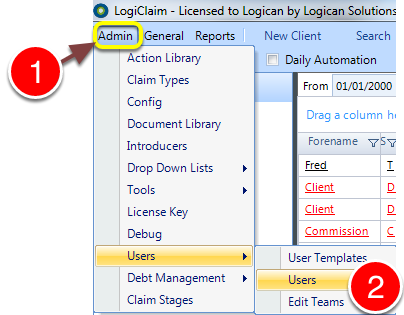
1: Click Admin from the Menu.
2: Select Users --> Users from the drop - down menu - the Users window will open.
Select the User to edit
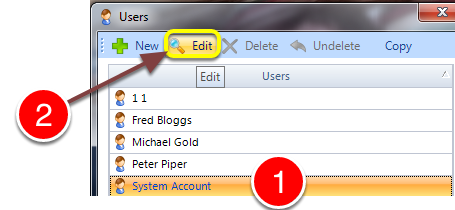
1: select the User to edit.
2: Click Edit - the Edit User window will open.
Change the permission
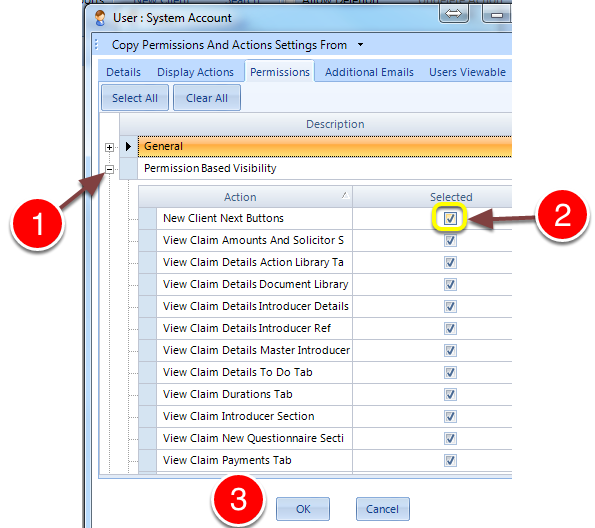
1: Expand the Permission Based Visibility section.
2: Tick the New Client Next Buttons check box.
3: Click OK to save and close the window.