Add a Surcharge to Bill when Receiving a Card Payment
Info
This feature enables you to add a range of surcharges to a bill based on a pre-determined percentage of the claim's total bill, including VAT.
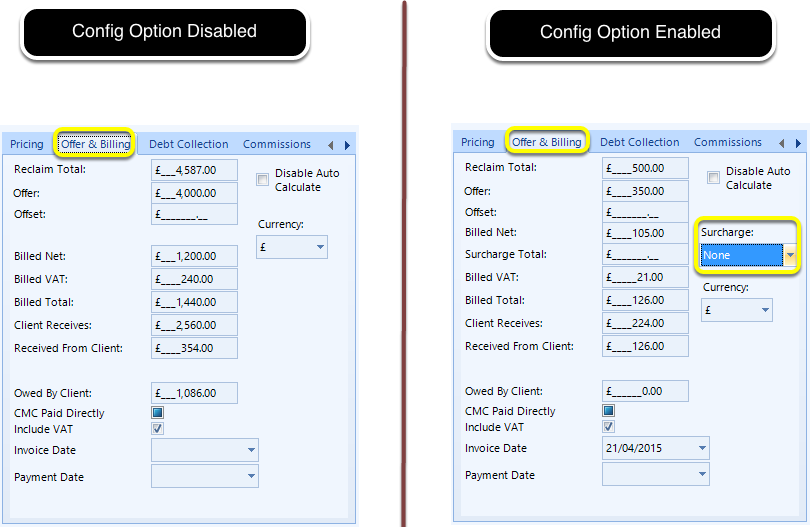
Offer & Billing
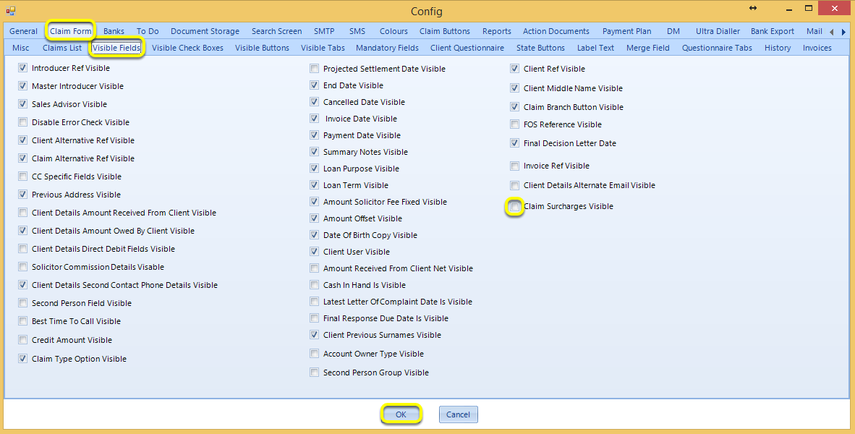
Config
To enable the surcharge field, click Admin > Config > Claim Form > Visible Fields > tick Claim Surcharges Visible and click OK.
Restart Logiclaim.
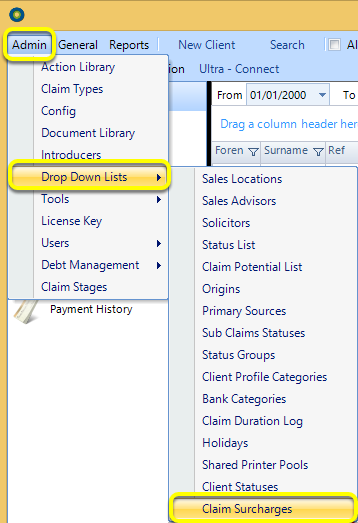
Drop Down Lists
Click Admin > Drop Down Lists > Claim Surcharges. The Claim Surcharges window displays.
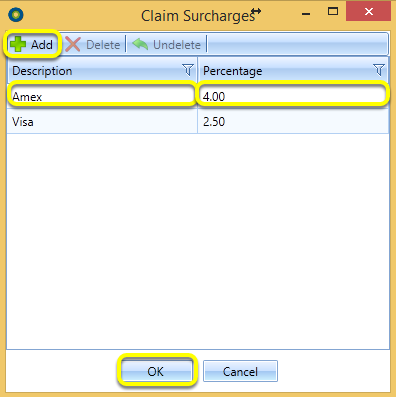
Click Add and click in the fields to enter a Description and Percentage.
Repeat as necessary and click OK.
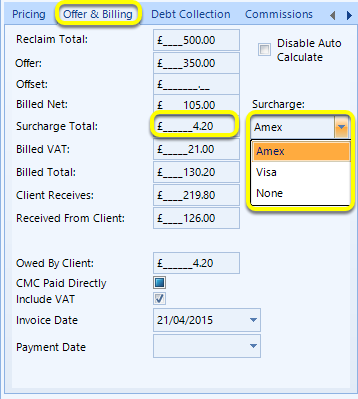
Open a claim and from the Offer & Billing tab, note the available Surcharge drop down list.
Upon selecting a surcharge, the Surcharge Total field populates according to the percentage established.
Note: VAT is NOT added to the surcharge.
Merge Fields
Use the merge fields \<\<ClaimDetailsAmountSurcharge>>\<\<ClaimDetailsSurchargeID>> to output the Surcharge Total.
Introduced in version 2016.5.11.2512