How to Automatically save the current user as the Client User and the Claim User
Open the Config
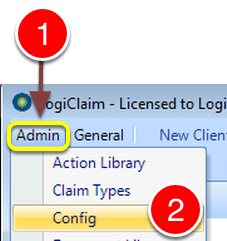
1: Click Admin from the Menu.
2: Select Config from the drop down list.
Change the Settings
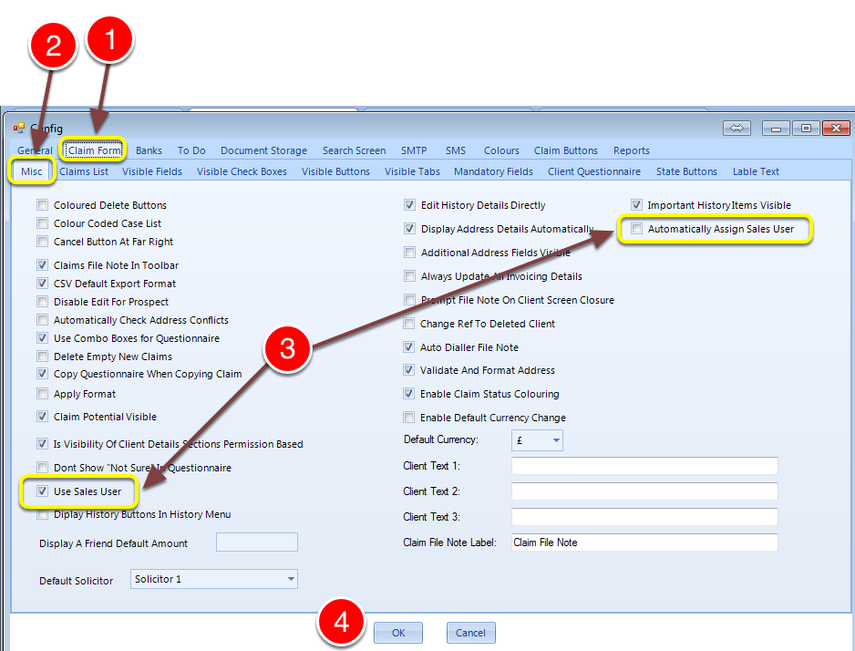
1: Select the Claim Form tab.
2: Select the Misc tab.
3: Tick both the Use Sales User tick box and the Automatically Assign Sales User tick box.
4: Click OK to Save the data and close the window.