How to change a User's Permission to View Introducer Details in a Claim
Open the Users window
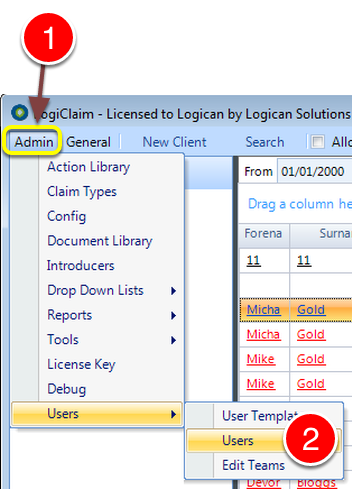
1: Click Admin from the Menu.
2: Select Users --> Users from the drop down list - the Users window will open.
Edit the User
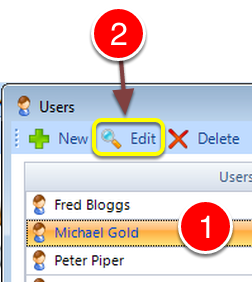
1: Select the User that you wish to Edit.
2: Click Edit - the Edit User window will open,
Change the Permission
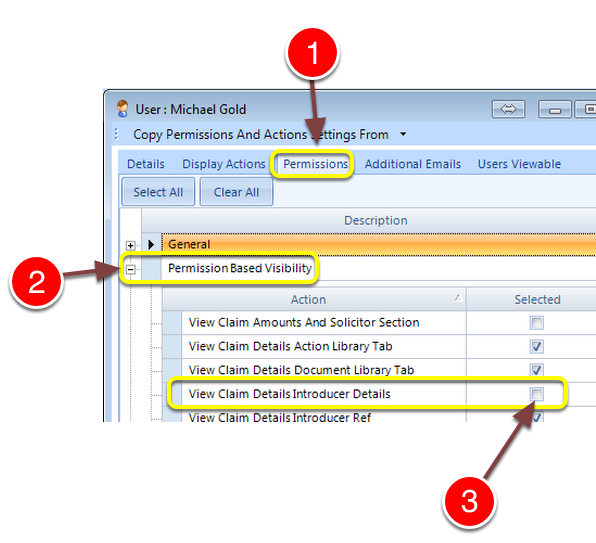
1: Click the Permissions tab - the Permissions window will open.
2: Expand the Permissions Based Visibility group.
3: Tick the View Claim Details Introducer Details tick box to allow the User to see this information, or untick it to hide the information.
The View in a Claim
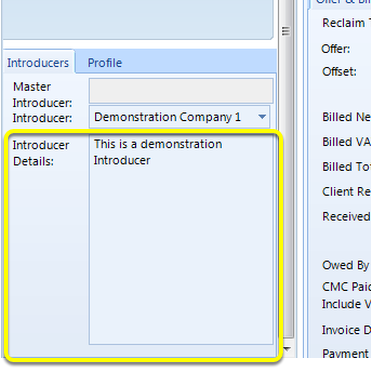
The marked areas will be blank if the tick box is left unticked.