How to Set the Storage Location of the Document Files
Info
The document storage location should be included in your company daily backup routines.
Open the Config Window
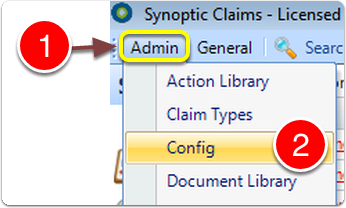
1: Click Admin from the menu.
2: Select Config from the drop down list - the Config window will open.
Open the Document Storage window
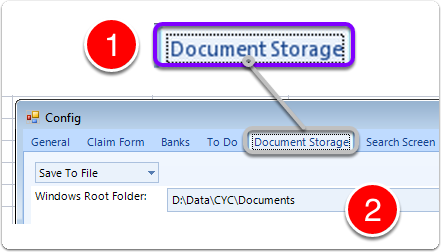
1: Click the Document Storage tab - the Document Storage window will open.
2: The Window Root Folder shows where the documents are stored. This can be changed if required.
Close the Window

1: Click OK to save the changes and close the window