Show Account Manager Claim Stages
Info
To view a claim stage without needing to open the claim, set the Account Manager claim stage for the search tool.
Config
To set the claim stage, click Admin > Config > Search Screen, and from the Claim Stage User to Display drop down list, select the claim stage and click OK. The claim stage now displays in the Search screen.
Note: The empty row in the Claim Stage User to Display drop down list indicates that the stage column in the the Search screen should not display.
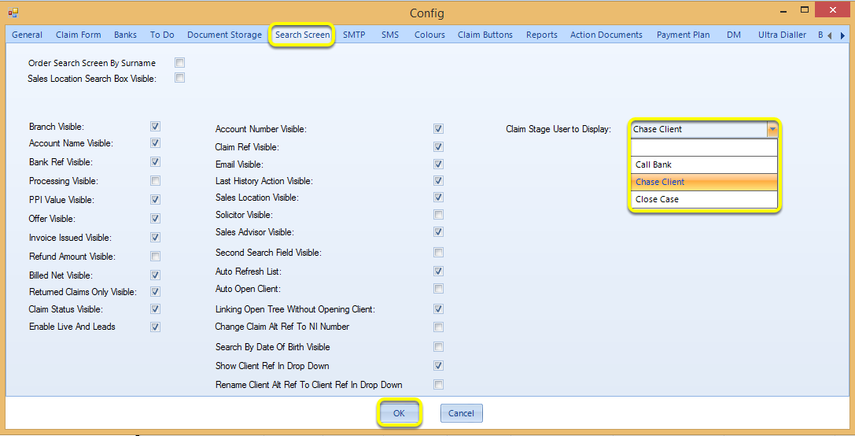
Search Screen
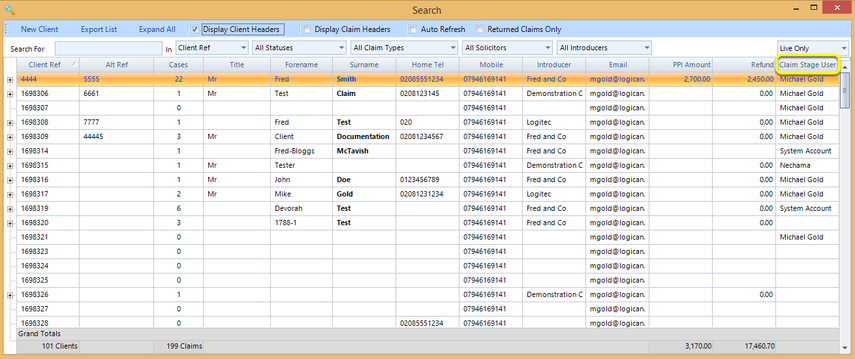
Introduced in version 2016.2.1.2369