How to use the User Log-on reporter
Info
NOTE: Before using this feature, you have to enable it. Click here for instruction. You also need the report to be set up by an advanced Sql user or a member of the Logican support team.
Open the report builder
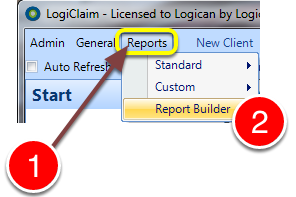
1: Click Reports from the menu.
2: Select Report Builder from the drop-down menu - the Report Builder window will open.
Open the log-in report tool

1: Click the User Log Information report.
2: Click Run - the Report Run window will open.
Run the report
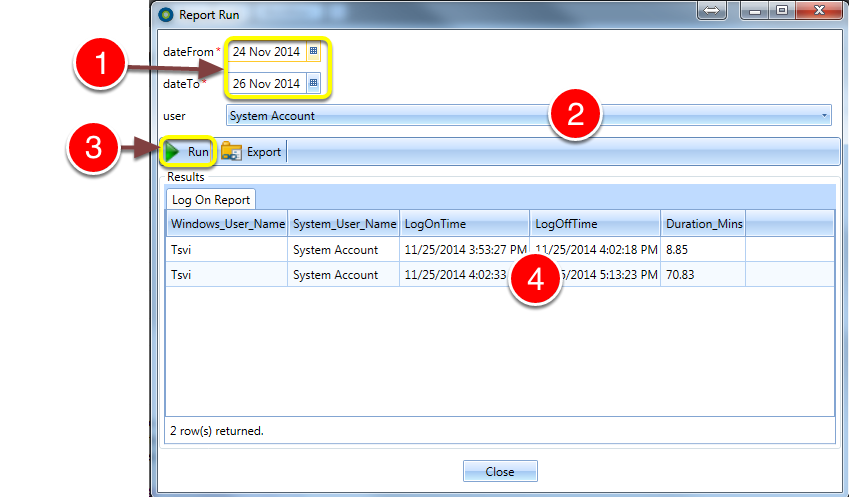
1: Select the dates required for the Report.
2: Select which users Log data is required for the Report.
3: Click the Run button.
4: The report is generated and can be exported to a spread-sheet by pressing the Export button.