How to Undelete a Claim
Open the Deleted Clients and Claims window
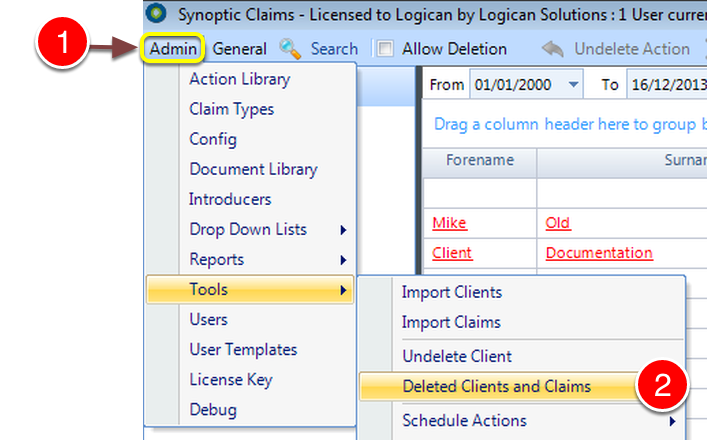
1: Click Admin from the Menu then select tools.
2: Select Deleted Clients and Claims from the drop down list - the Deleted Clients & Claims window will open.
Select the Claim
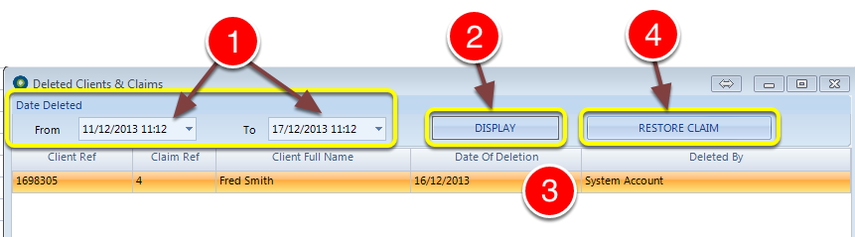
1: Select the date range to use to search for the Deleted Claim.
2: Click Display - any Deleted Claims in the selected date range will be displayed.
3: Select the Claim to be restored.
4: Click Restore Claim - the Claim will be restored and the window will close.